Apps — Zero Trust access to your services
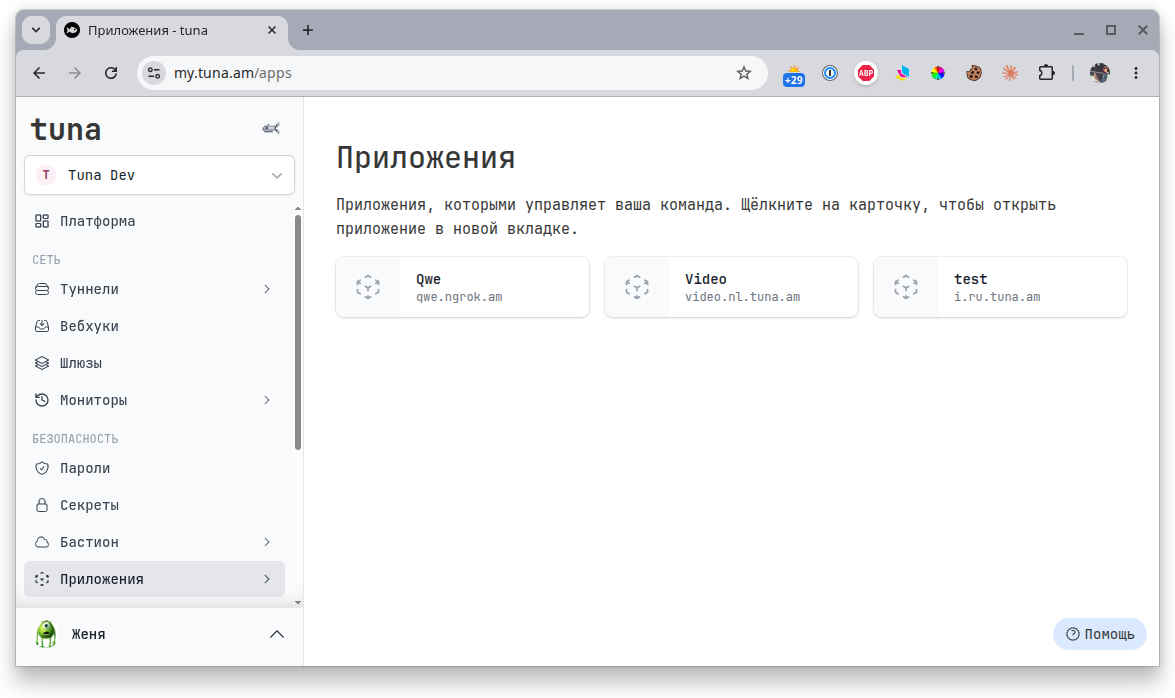
We're excited to introduce a new component of the Tuna platform — Apps. It's a secure reverse proxy that protects any of your web services with authorization, SSO and granular access control — without a single line of code change in the service itself.
Go to the Apps section in the documentation
Why do you need this?
Imagine you have an internal service — an admin panel, a staging environment, Grafana, an internal API. You want to grant access only to specific people, from specific countries, with corporate SSO verification. Previously this meant wrestling with nginx, oauth2-proxy, certificates and access lists.
With Apps, Tuna checks every incoming request: who the user is, how they authenticated, where they came from, and whether they're allowed to access the requested path. Everything is configured through the web interface in minutes.
What you can do:
- protect any web service with authorization without changing its code;
- set up granular access control — for example,
/admin/*only for admins from Russia, while/api/healthis open without authentication; - connect corporate SSO (Google, Yandex, GitHub, GitLab, VK, any OIDC-compatible provider);
- require MFA or manual admin approval for sensitive operations;
- publish a service without a public IP via a tunnel — just run a single command;
- grant machine access through service tokens for CI/CD, monitoring and automation.
Two traffic delivery modes
When creating an app, you choose how Tuna will reach your service.
| Mode | When to use |
|---|---|
| Proxy | The service is already network-accessible — in Kubernetes, a cloud VM or on the same network as the node. You can specify multiple upstreams with weight-based balancing |
| Tunnel | The service has no public IP — behind NAT, on a dev machine or in a corporate network. The backend connects to Tuna itself via the client agent |
In tunnel mode, after creating the app you get a ready-to-use command:
tuna app <name> --url=http://127.0.0.1:8080
Run it on the machine with the service — and the app becomes available through a secure domain.
Access policies — the heart of the system
Every request goes through a chain of policies. The first policy whose path pattern matches determines the request's fate: allow, require MFA, request approval, or deny. Access is denied by default.
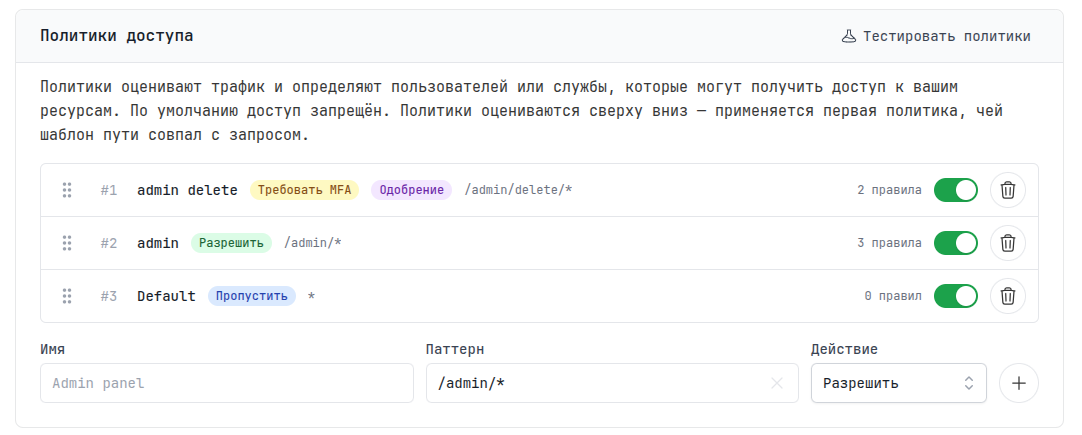
Each policy is a path pattern (a glob like /admin/*) and an action:
- Allow — access granted if rules pass;
- Require MFA — same plus a second factor (TOTP or email code);
- Deny — unconditional block;
- Bypass — path accessible without authentication (health checks, webhook endpoints).
Within a policy you configure rules — who exactly gets access. They can be combined using OR / AND / NOT modes and built from different types:
| Rule type | Example |
|---|---|
| Team / Email / Email RegExp | .*@company\.com$ |
| IP / CIDR | 10.0.0.0/8 |
| Country (GeoIP) | RU, US, DE |
| Sign-in method | oidc, otp, mfa |
| Provider | google |
| Service Token | machine authentication |
For example, to open /admin/* only to team members and only from Russia, a single policy with "Team" (or) and "Country: RU" (and) rules is enough.
Risk-free testing
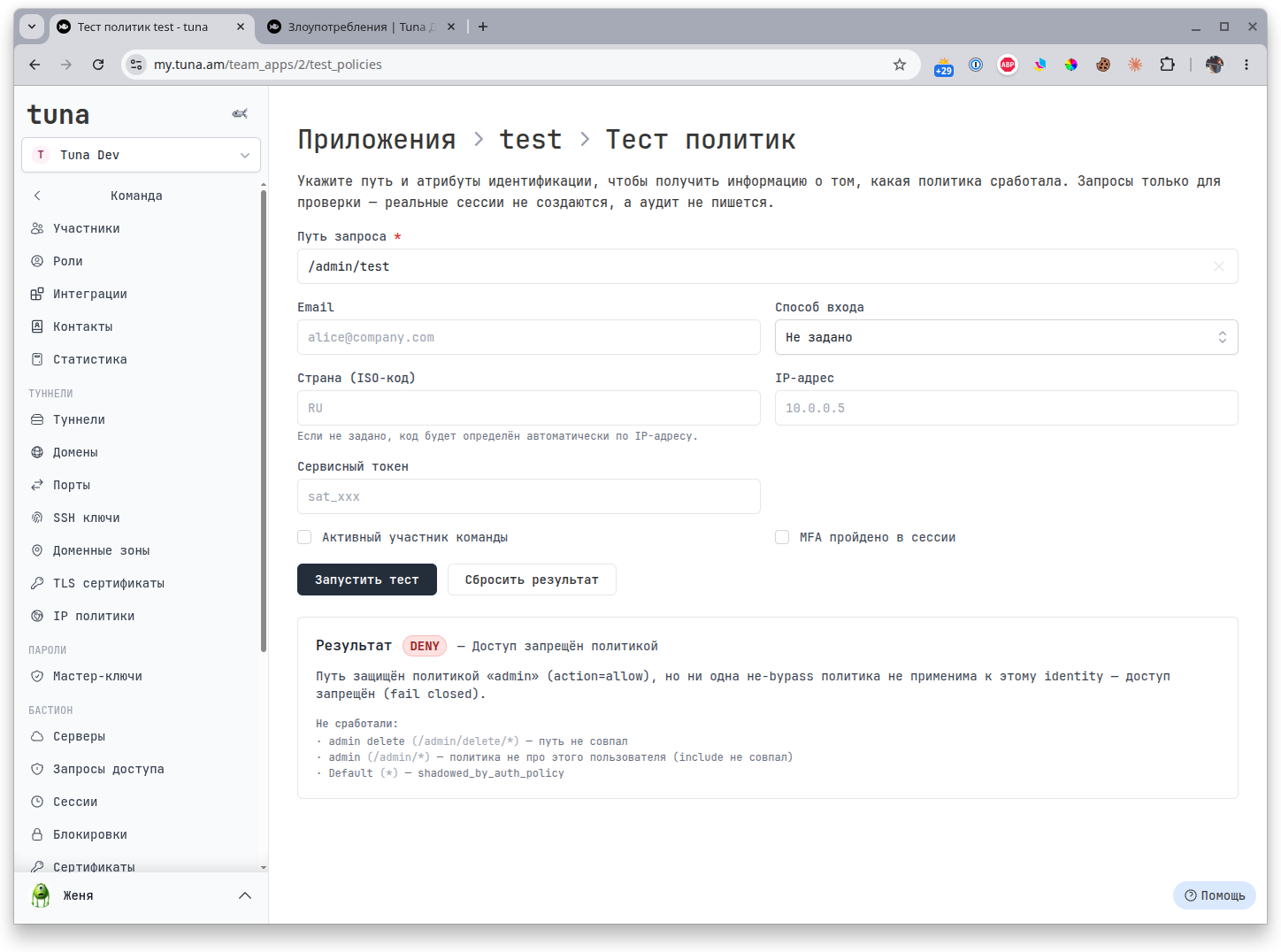
Before applying your configuration, you can verify it with the Policy tester — simulate a request with any parameters and see what decision the system makes. No real sessions are created.
Sign-in via corporate SSO
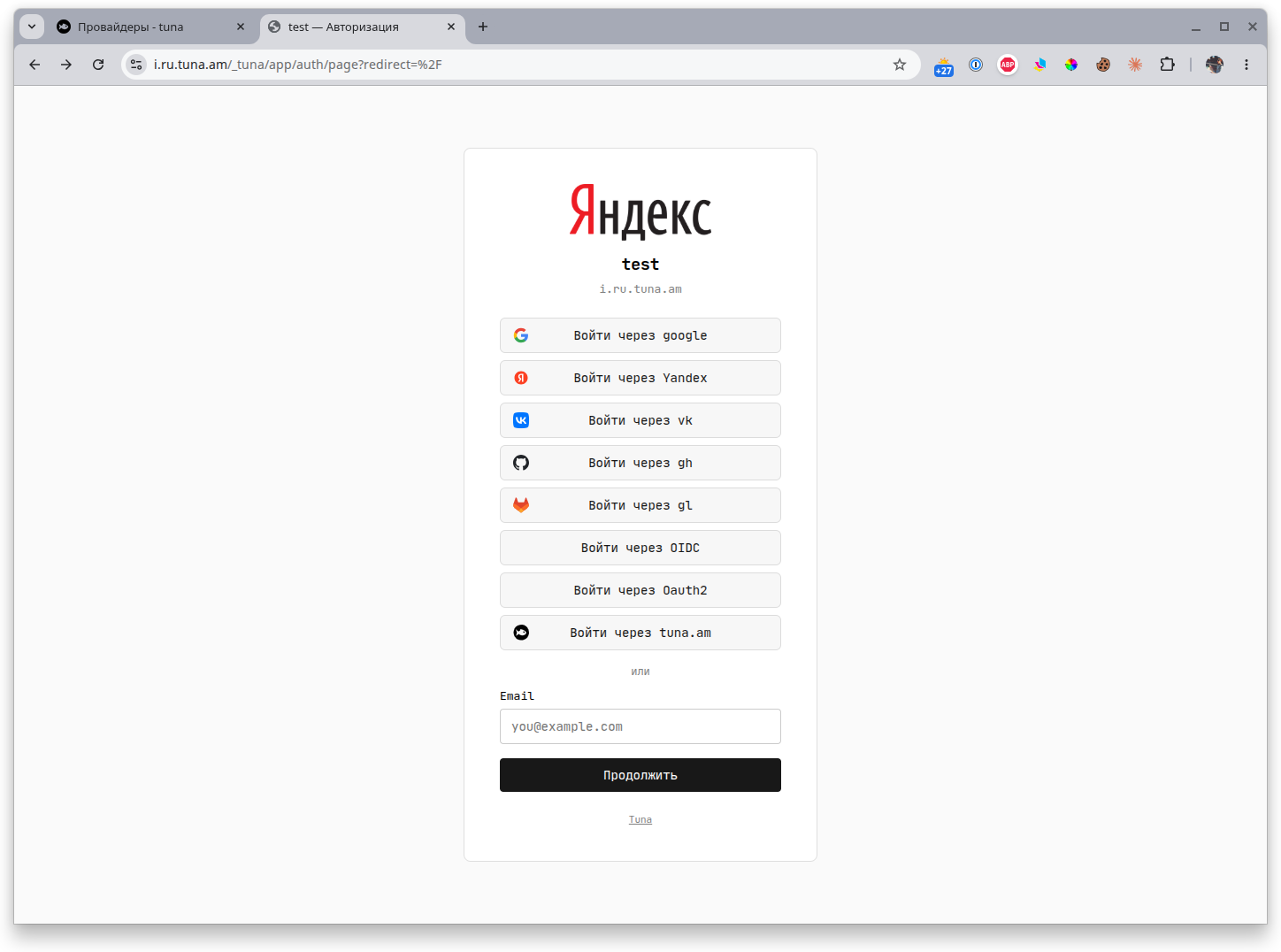
Sign-in methods can be combined — the user sees all of them on the sign-in page:
- Email OTP — a one-time code sent to email, convenient for external contractors;
- tuna.am accounts — sign in with a personal account;
- Team providers — external Identity Providers (Google, Yandex, GitHub, GitLab, VK, any OIDC).
Even more control
Access requests — for sensitive resources, enable manual approval. The user explains the reason, the admin approves access for the desired duration (from 15 minutes to indefinite).
Service tokens — machine authentication for CI/CD, monitoring and scripts. A Client ID + Client Secret pair, passed in headers. Rotation with a grace period is supported — update the secret without downtime.
curl -H 'Tuna-Access-Client-Id: sat_...' \
     -H 'Tuna-Access-Client-Secret: ...' \
     https://your-app.example.com/
Sessions — users see their active sessions, admins see all team sessions with full details (IP, country, User-Agent, last activity). Any session can be revoked, and the "Close all sessions" button terminates them all at once.
Flexible proxy settings — request and response headers, path rewriting, CORS, body size limit, TLS to upstream and client certificate (mTLS).
Full audit
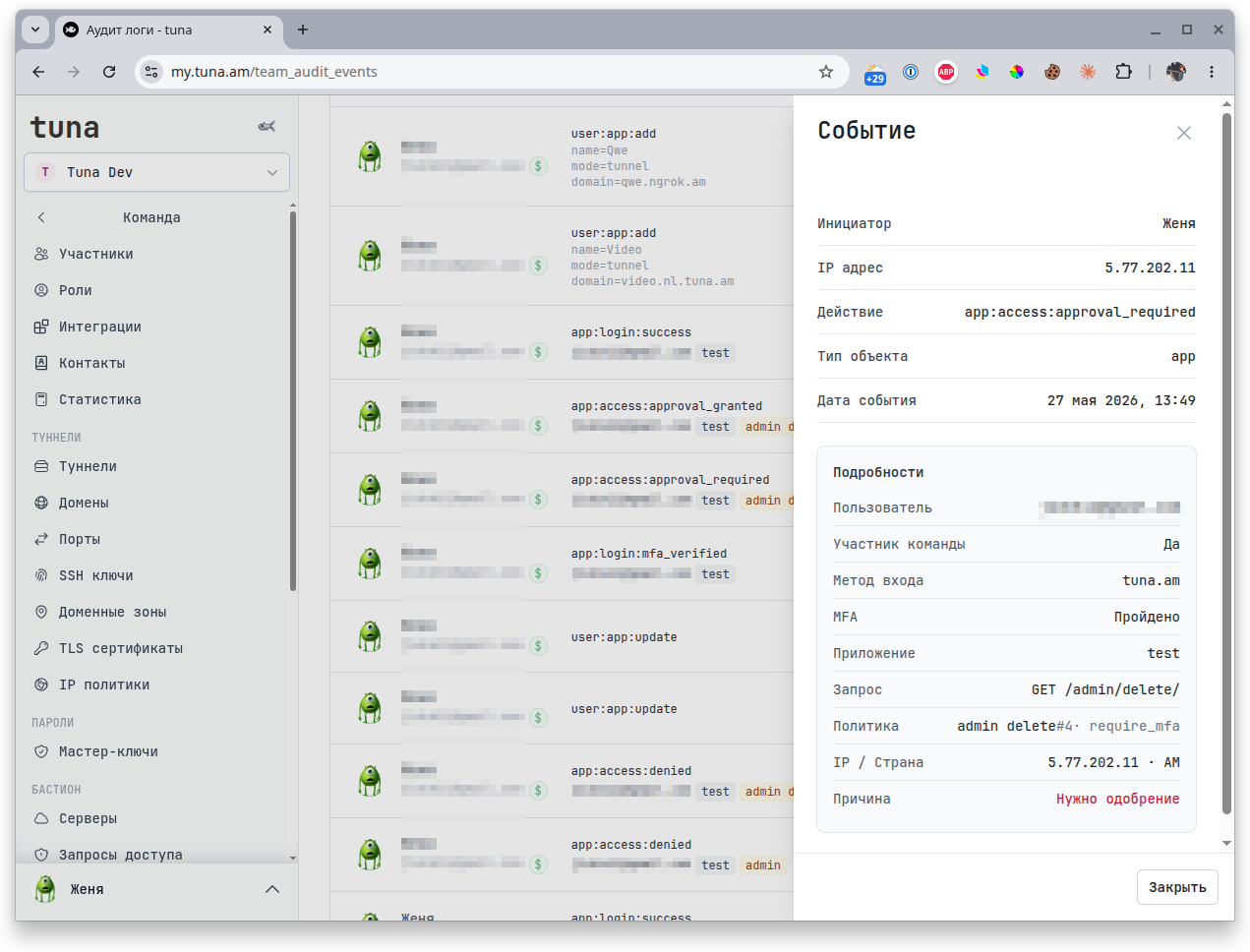
All app actions are recorded in the audit log: app creation and modification, user sign-ins, access request approvals and rejections, session revocations. Every event includes details — who, when, from where, and what exactly happened.
Try it now
Go to the Apps section, click + Add app — and protect your first service with authorization in minutes.
Detailed description of all features — in the documentation:
Leave feedback
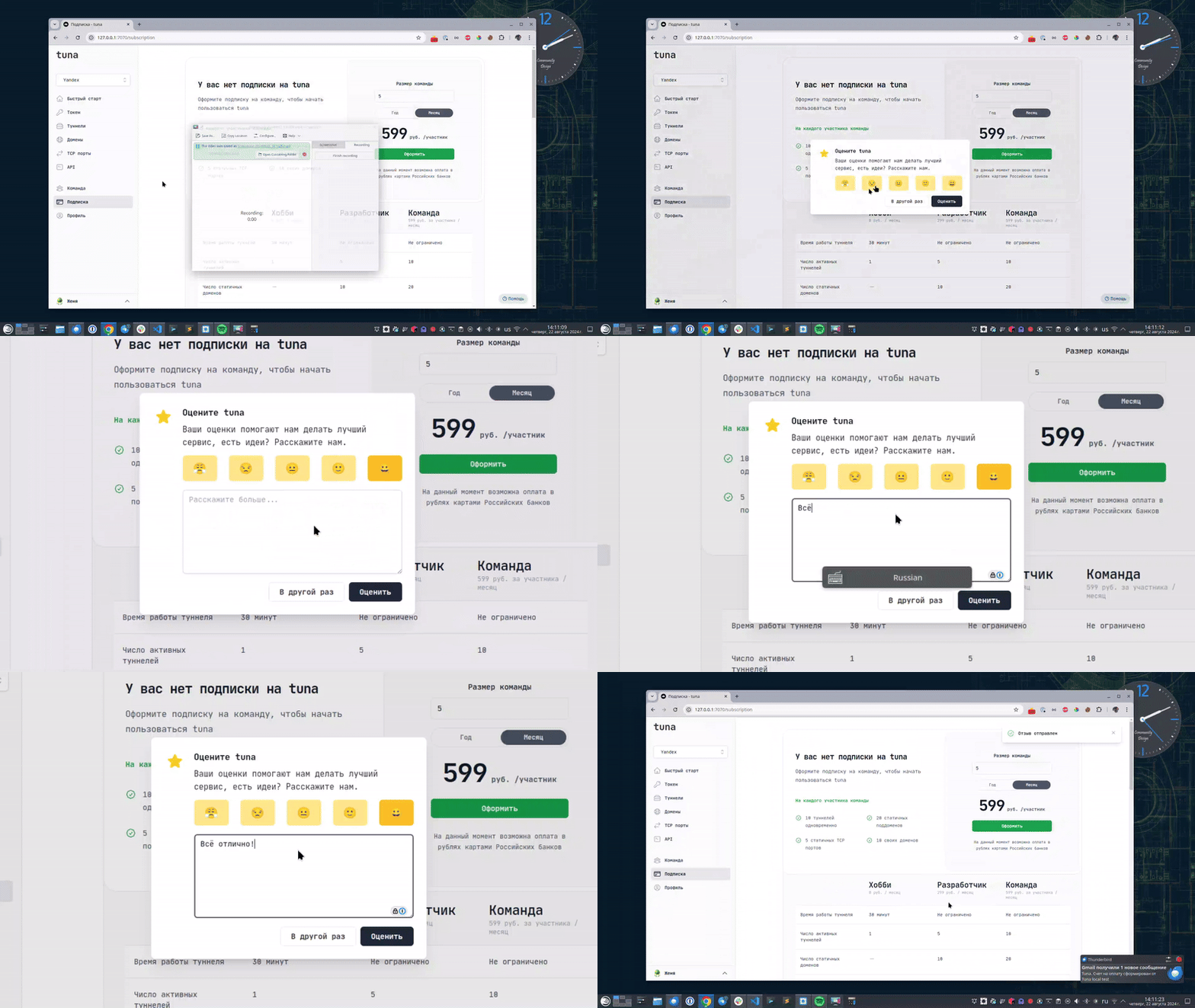
If you enjoy using Tuna, or on the contrary you are not happy with something, please leave feedback.
News
We announce new features and posts on our Telegram channel. Subscribe so you don't miss anything.
Help
We value our users and carefully review every request. If you have any problems with tuna, please contact us in one of the following ways: