Tuna Kubernetes operator — tunnels, domains, and Ingress as cluster resources
To expose a service from a cluster, you typically need a LoadBalancer, a public IP, and an ingress controller. In the cloud you pay for this, and many clusters don't have a public address at all: an air-gapped environment, kind on a laptop, k3s on a Raspberry Pi behind a provider's router.
For such clusters, we built a Kubernetes operator. Install it with a Helm chart, write a regular Ingress with the tuna class — and the service is accessible from the internet. The cluster only makes outbound connections to Tuna; no inbound ports need to be open.
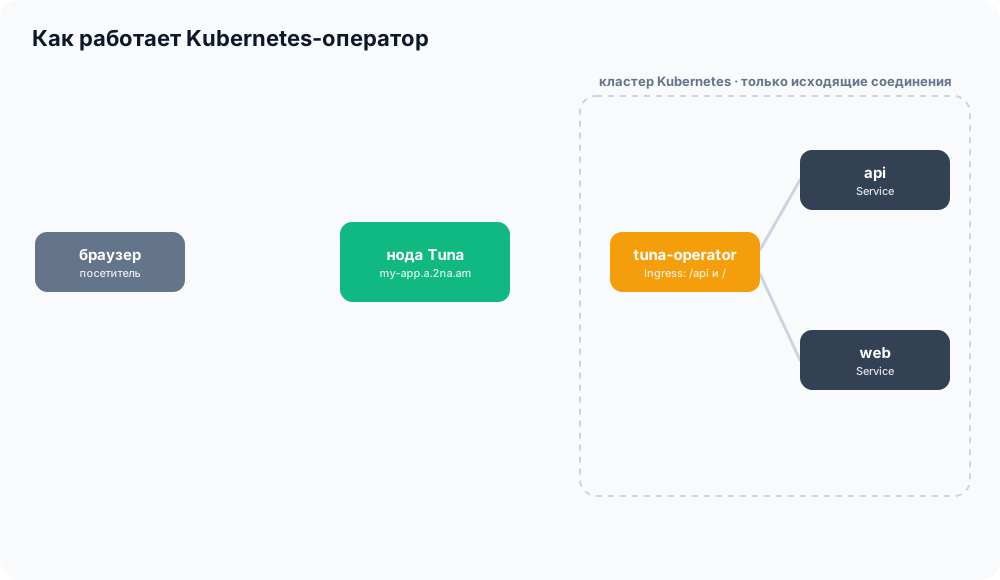
- A real Ingress controller. Any Helm chart that can create an Ingress is published through Tuna with a single line in values.
- Each tunnel has its own key. It can only start tunnels, doesn't access the API, and is revoked along with the resource. The operator's own key cannot start tunnels.
- Domains and ports as manifests. Subdomains, custom domains, and TCP ports are reserved as resources alongside the application and live in git.
- Installation, key setup, and all resources — in the documentation.
Before: a pod with tuna http
Publishing a cluster through Tuna was possible before: run tuna http in a pod. One of our users used this to expose ingress-nginx:
spec:
  replicas: 1
  strategy: {type: Recreate}
  template:
    spec:
      containers:
      - name: tuna
        image: yuccastream/tuna:latest
        args: [http, ingress-nginx-controller.ingress-nginx.svc.cluster.local:80, --inspect=false]
        env:
        - {name: TUNA_TOKEN,     valueFrom: {secretKeyRef: {name: app-tuna, key: TUNA_TOKEN}}}
        - {name: TUNA_SUBDOMAIN, valueFrom: {secretKeyRef: {name: app-tuna, key: TUNA_SUBDOMAIN}}}
It works, but everything is assembled by hand: the subdomain is reserved in the dashboard, the Secret is created manually, and a separate ingress-nginx sits in front of the tunnel. And TUNA_TOKEN is the entire account's token: if it leaks from the Secret, it can be used to start as many tunnels as you want on any address.
Now: a regular Ingress
With the operator, Tuna is just another ingress controller in the cluster. The chart doesn't need to know anything about Tuna — just specify the class. Here's podinfo on a reserved subdomain:
ingress:
  enabled: true
  className: tuna
  hosts:
    - host: podinfo.a.2na.am
      paths:
        - path: /
          pathType: Prefix
Paths within a single Ingress are routed to different Services: /api to the backend, / to the frontend. The operator creates one tunnel per host and applies new paths and backends without reconnecting. If the chart doesn't support setting a class, tuna can be made the default class.
The subdomain itself is also described as a manifest — a Domain resource alongside the application. Custom domains and TCP ports are reserved the same way, and for a standalone service there's a short Tunnel resource without Ingress.
A key for every tunnel
The main thing we designed into the operator is that leaking one secret should not compromise the entire account.
- Each tunnel has its own ephemeral key. It can only start a tunnel: one protocol, no more than one tunnel at a time, no API access. Delete the resource — the key is revoked. Keys for resources deleted while the operator was down are revoked automatically.
- The operator's key cannot start tunnels. It only needs write access to "Endpoints and domains": reserving addresses and issuing keys for tunnels.
- Own namespace only. Tunnel and Ingress can only publish Services from their own namespace. IP addresses, external hosts, and other namespaces are rejected — otherwise the right to create an Ingress in one namespace would grant access to everything the operator pod can see.
- Pods without extra privileges. Non-privileged user, read-only root filesystem, no capabilities.
GitOps-friendly
If the cluster is managed by Argo CD or Flux, the operator stays out of the way:
- a domain or port that already exists in the account is adopted under management rather than failing with an error;
- with
reclaimPolicy: Retain, the reservation survives resource deletion — rebuild the cluster, and the domain is still there; - a reservation deleted manually in the dashboard is recreated by the operator.
How to try it
Create an API key for the operator and install the chart:
helm repo add tuna https://code.tuna.am/api/packages/tuna/helm
helm install tuna-operator tuna/tuna-k8s-operator \
  --namespace tuna-system --create-namespace \
  --set credentials.apiKey=<API-key>
Which permissions the key needs, how to install the operator via Nelm, and where to store the key besides --set — in the documentation.
What's next
This is the first version: API v1alpha1, resource fields may still change. Traffic currently flows through the operator pod, and tunnels reconnect during updates.
Coming soon:
- Tunnels directly from Service. A Service of type LoadBalancer with
loadBalancerClass: tunawill get a tunnel on its own, without Ingress and without aTunnelresource. - Secret synchronization. The operator will sync Tuna secrets into cluster Secrets and keep them updated on changes.
- Routing on Tuna nodes. Ingress rules will move to our nodes, traffic will stop flowing through the operator pod, and Gateway API support will follow.
Missing a feature or the operator didn't work? Contact support.
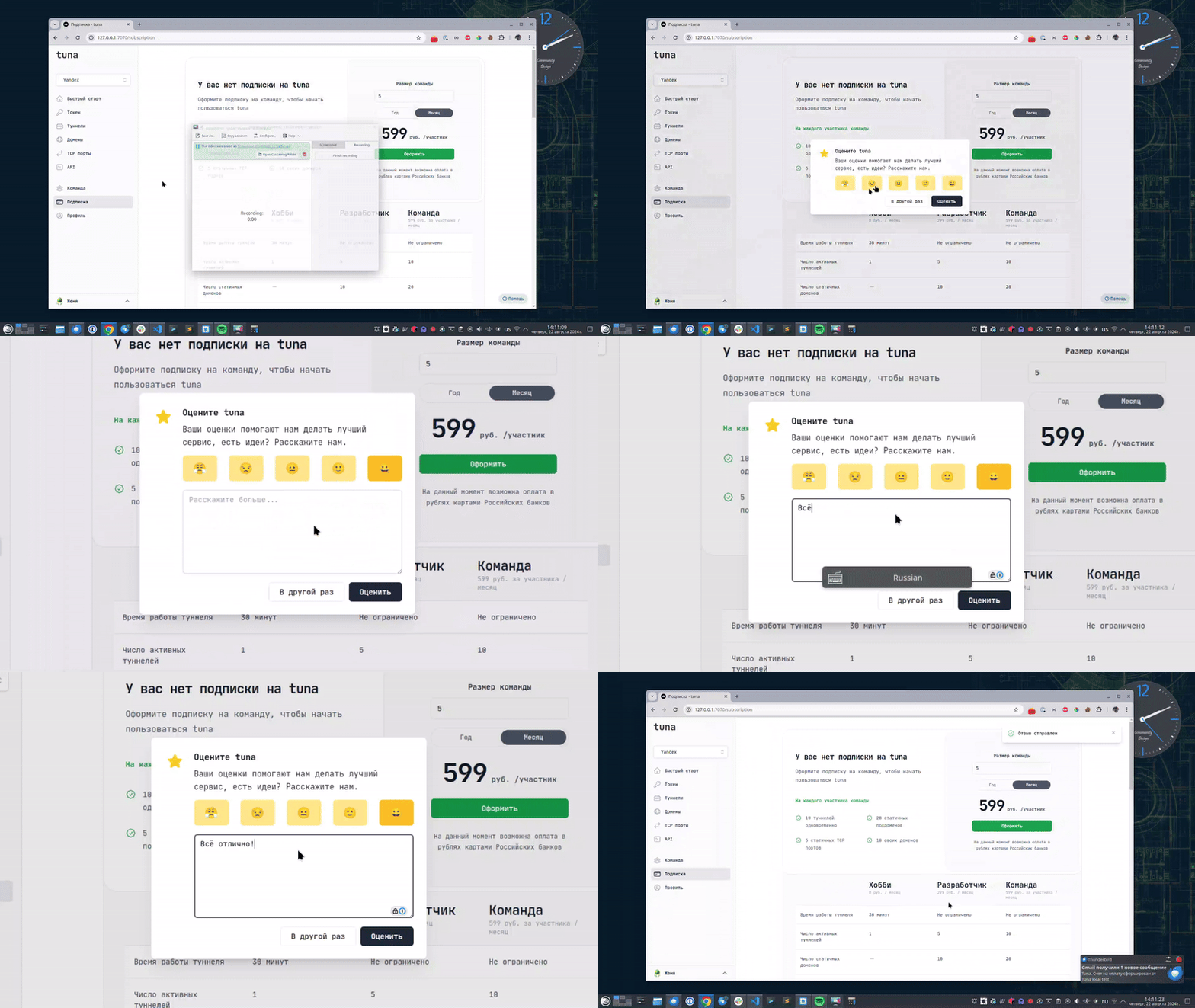
Leave feedback
If you enjoy using Tuna, or on the contrary you are not happy with something, please leave feedback.
News
We announce new features and posts on our Telegram channel. Subscribe so you don't miss anything.
Help
We value our users and carefully review every request. If you have any problems with tuna, please contact us in one of the following ways: