Monitors - new functionality
We're pleased to introduce a new component of the Tuna platform - Monitors. Functionality for tracking the health of your services, tunnels, jobs and infrastructure with notifications through various communication channels.
Go to Monitors section in documentation
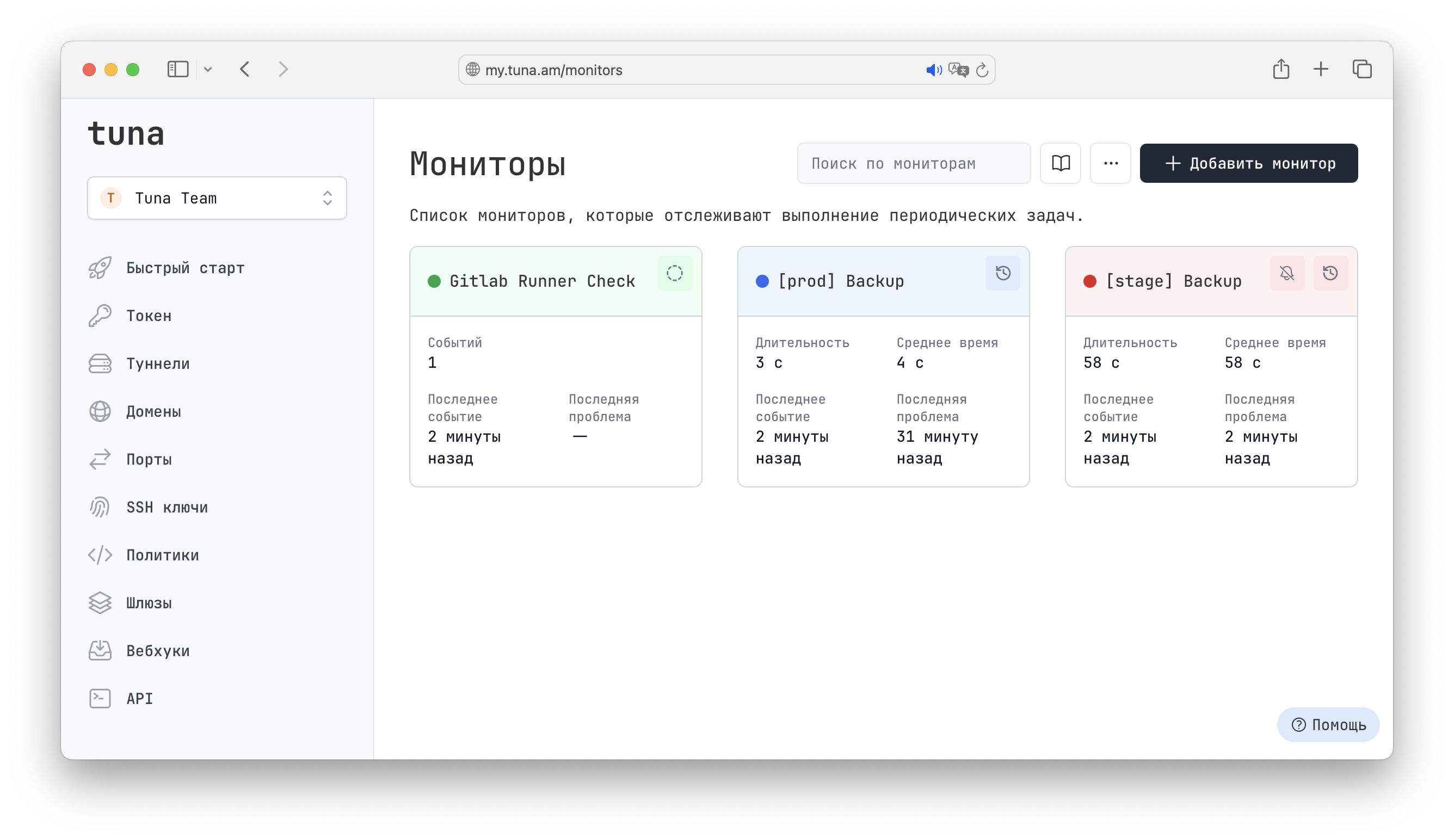
What are Tuna Monitors?
Monitors let you control the operation of your cron jobs, services and infrastructure. If a problem occurs, you'll get an immediate notification through the configured communication channels — email, Telegram, Slack and others.
Monitors are:
- Tracking of periodic jobs (backup scripts, cron jobs)
- Availability checks for websites, APIs and tunnels from multiple regions
- Network infrastructure monitoring (TCP, DNS, ICMP)
- Automatic notifications on failures and recoveries
- Integration with the tuna CLI for convenient work from the terminal
Who is it for?
- DevOps engineers — for monitoring infrastructure and automated jobs
- Developers — for tracking the availability of APIs and services
- System administrators — for controlling the execution of backup scripts and cron jobs
- Teams — for centralized monitoring of all services with shared notifications
6 monitor types
Tuna supports 6 monitor types, divided into two categories:
User monitors
These monitors wait for signals from your applications and scripts:
| Type | Description |
|---|---|
| Job | Monitoring the execution of periodic jobs on a schedule |
| Heartbeat | Monitoring regular signals from services in closed networks |
External monitors
These monitors independently check the availability of your resources from multiple geographic regions:
| Type | Description |
|---|---|
| HTTP | Availability checks for websites and APIs with response validation |
| TCP | Availability checks for TCP services (databases, mail) |
| DNS | Checking DNS records and their correctness |
| ICMP | Network availability checks (ping) |
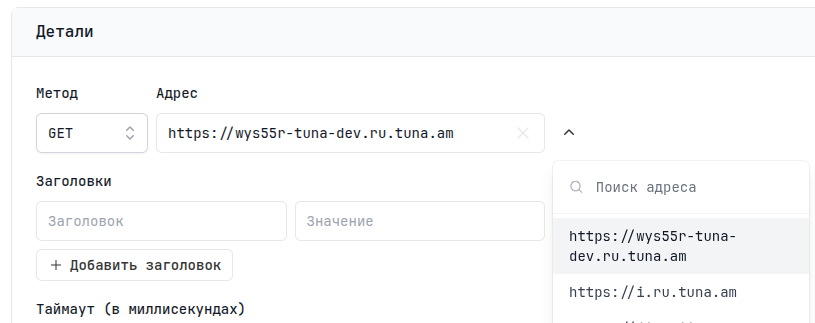
HTTP and TCP monitors are integrated with Tunnels. If you have active tunnels or reserved domains/ports, when creating a monitor the resource you need will be in the menu to the right of the address.
Key features
Cron job monitoring
Track the execution of backup scripts, syncs and other periodic operations:
# Simple backup with monitoring
tuna monitor exec MONITOR_ID -- pg_dump -U postgres mydb > /backups/dump.sql

# In crontab
0 3 * * * tuna monitor exec MONITOR_ID -- /scripts/backup.sh
The system automatically sends start, finish or fail signals, and also captures execution logs.
Heartbeat monitoring
For services in closed networks, IoT devices and background processes:
# Sending a heartbeat every 5 minutes
*/5 * * * * tuna monitor ping MONITOR_ID --host=my-server
Checks from multiple regions
External monitors check the availability of your resources from different geographic locations, which makes it possible to detect routing issues or regional unavailability.
SSL/TLS and Whois monitoring
HTTP monitors automatically check SSL certificates and track the domain expiration date so you don't miss the renewal moment.
Integration with notifications
Monitors are integrated with the Contacts and Integrations systems. Set up notifications via Telegram, Slack, email or webhook.
CLI integration
The tuna console client is fully integrated with monitors:
tuna monitor ping— sending a Heartbeat signal to a monitortuna monitor exec— executing a command with automatic trackingtuna monitor status— viewing monitor statuses
Detailed information about each monitor type, settings and usage examples is available in the documentation.
Notifications and integrations
Notifications and integrations are also a big part of the new functionality, which is integrated not only with monitors but also with reports.
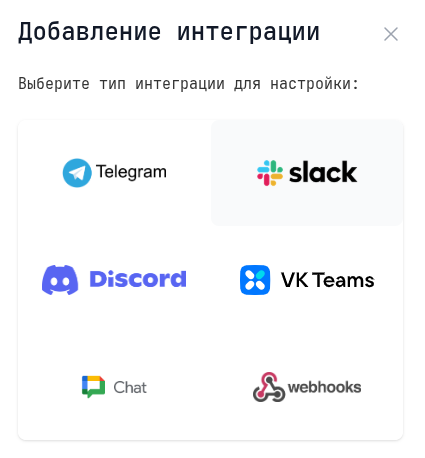
Popular communication channels are supported: Telegram, Slack, Discord, VK Teams, Google Chat and custom Webhooks. Contact groups let you flexibly manage recipients — combine email addresses and integrations into named groups, use one group for multiple monitors, and easily add or remove recipients without changing the monitors' settings themselves.
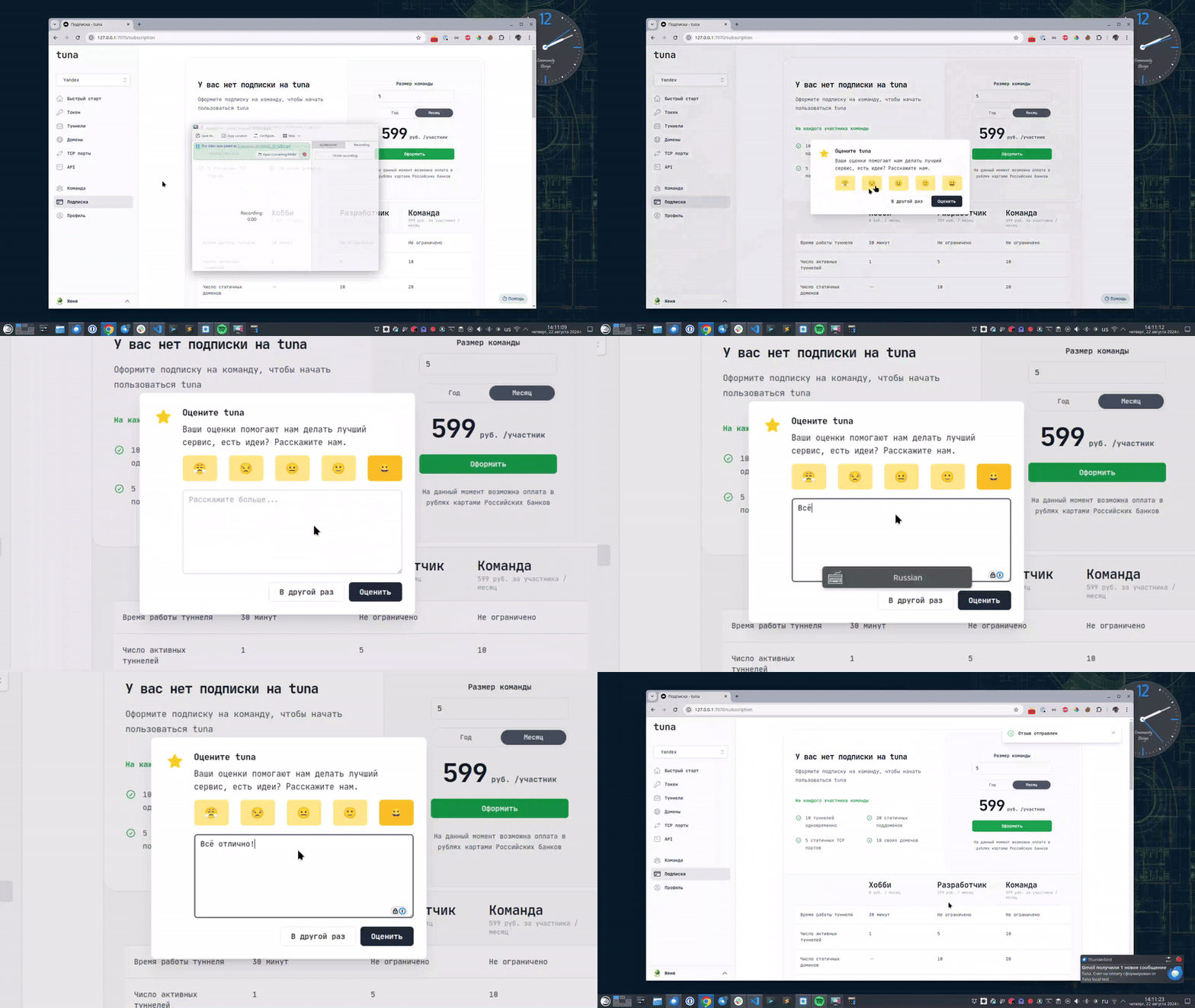
Leave feedback
If you enjoy using Tuna, or on the contrary you are not happy with something, please leave feedback.
News
We announce new features and posts on our Telegram channel. Subscribe so you don't miss anything.
Help
We value our users and carefully review every request. If you have any problems with tuna, please contact us in one of the following ways: