Secrets change requests — prod edits through review
A common scenario before a release: a developer needs a new Stripe key in prod but has no access to prod, and rightly so. So they post in the chat, "please update STRIPE_API_KEY," and someone copies the value from the message. The key stays in the chat history, and a month later nobody remembers who changed it, when, or why.
Secrets now have change requests. An edit like this goes through review, just like code in a merge request: the developer proposes a change, and a prod editor reviews and applies it.
How it works
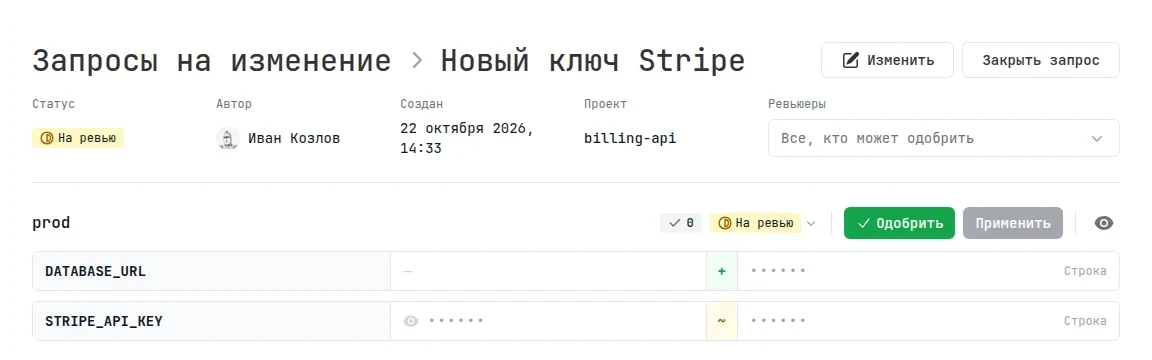
The author opens a configuration and, without write access to it, sees Propose a change instead of Save. They can propose an edit even in an environment they have no access to, but they won't see that environment's current values or secret names.
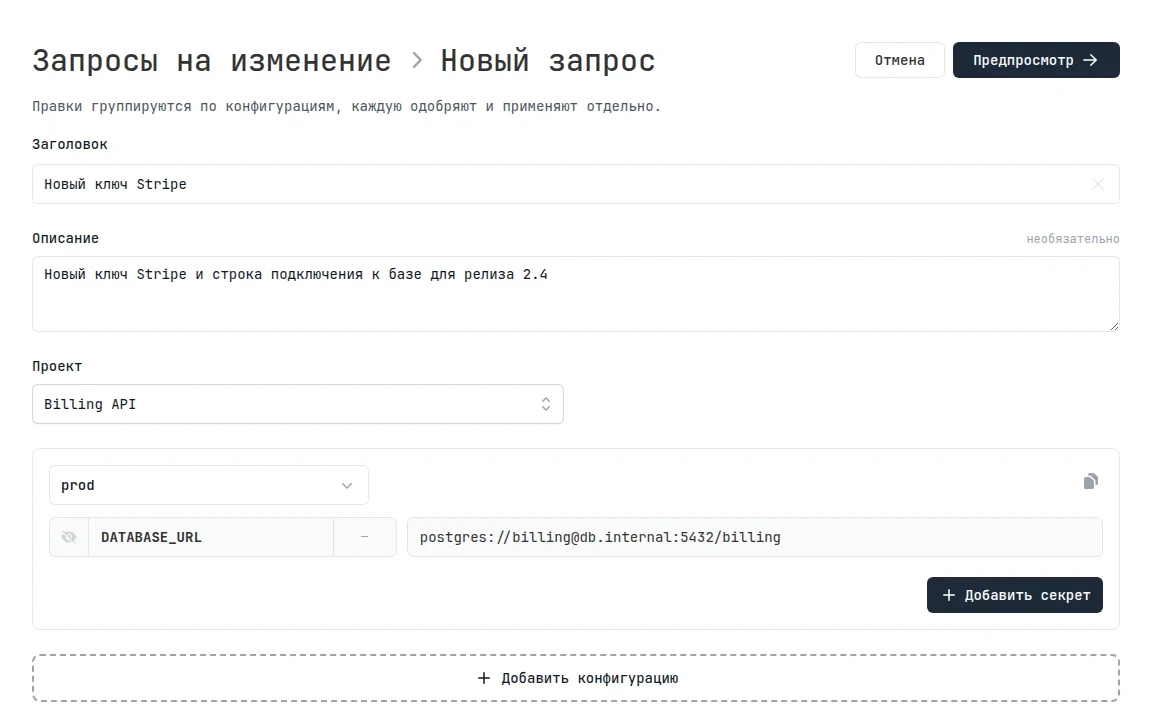
Reviewers get an email with the request title, the project, and the secret names, but no values. The request also shows up on the dashboard home page in the Needs attention block.
An environment editor reviews the diff — before and after for each secret — and clicks Approve, then Apply. The new values are written to the configuration immediately, and the change history gets an entry that links to the request, so a month later it's clear who changed the secret, when, and why.
A single request can cover several configurations. Each one becomes a separate block with its own approvals: the change in stg can go out right away, and prod after the release.
Other people's edits are not overwritten
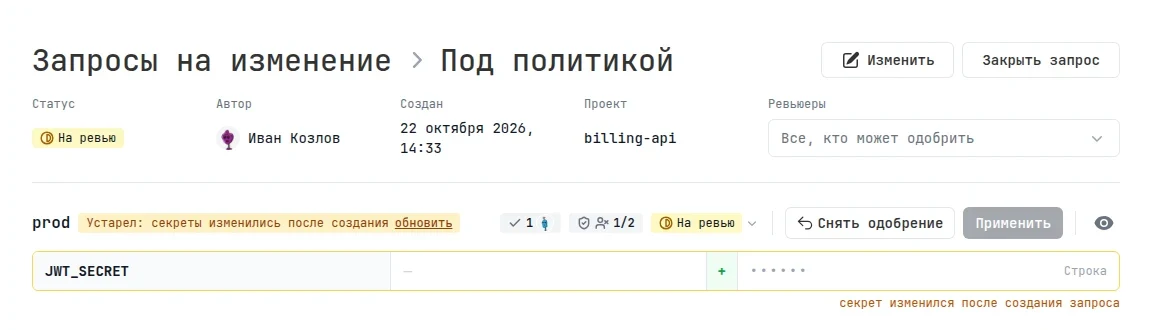
While a request is waiting for review, someone might change the same secret directly. Applying the request on top of that edit would silently wipe it out. So we apply changes strictly: the block is marked Outdated and can't be applied until the author or a reviewer updates it against the current values. This resets the approvals, and the review starts over.
Approval policies
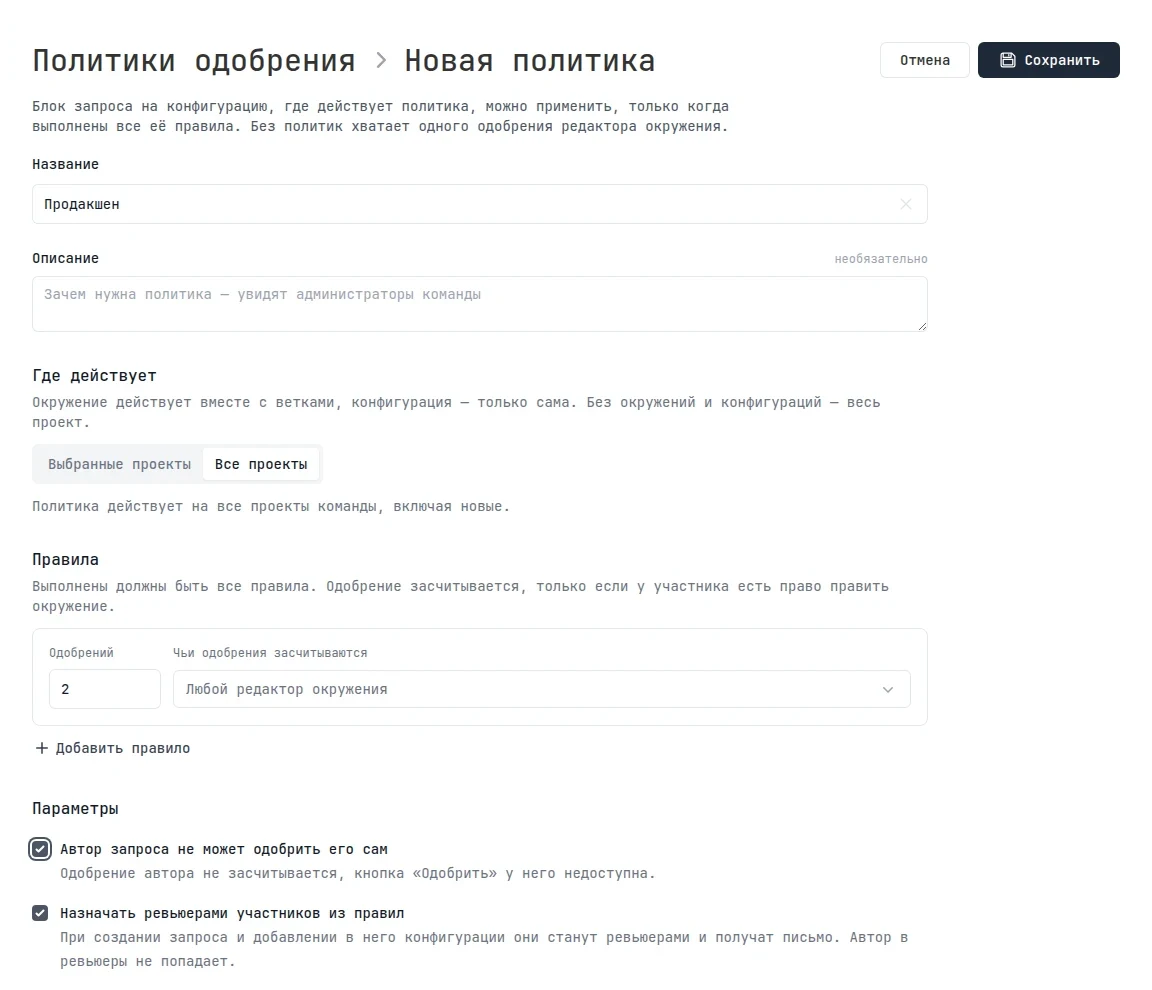
By default, one approval from any environment editor is enough. For critical environments, a team admin can set a policy: how many approvals are needed and from whom, whether authors can approve their own requests, and who gets assigned as a reviewer automatically.
A policy applies to the entire team, to selected projects, or to specific environments and configurations. For example, "two approvals and no self-approval" for prod in selected projects.
Important details
- Change requests only work in the dashboard: you can't create or approve them through the API, the CLI, or service keys. Approval must come from a person, not a leaked key or a script.
- Policies don't block direct edits: environment editors can still change secrets right away. Requests add a path for those without write access.
- You can create requests on paid plans.
One more update for those who work with secrets through the API: all methods are now documented in Swagger.
Change requests are already live under Secrets → Change requests. Roles, statuses, and policy setup are covered in the documentation.
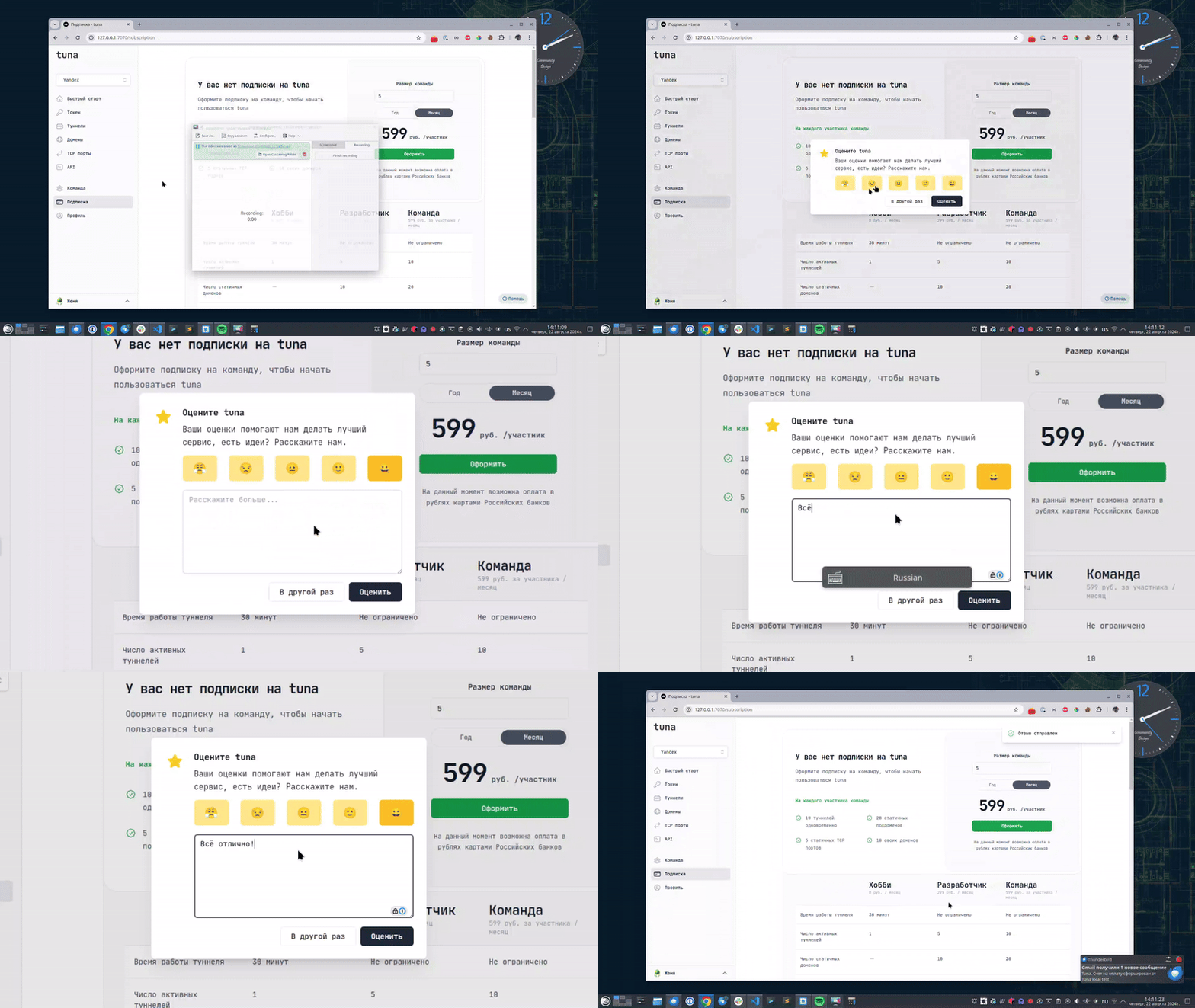
Leave feedback
If you enjoy using Tuna, or on the contrary you are not happy with something, please leave feedback.
News
We announce new features and posts on our Telegram channel. Subscribe so you don't miss anything.
Help
We value our users and carefully review every request. If you have any problems with tuna, please contact us in one of the following ways: