What's new in Tuna — dark theme, firewall addresses, and Linux package migration
We updated the platform and released tuna CLI 0.38. We will cover the major features — apex domain support, secret change requests, and Tuna Mesh in the dashboard — in separate posts in the coming days. Here is the rest: a change that requires action, the dark theme, firewall addresses, and fixes.
Action required: Linux packages only in code.tuna.am
Linux packages tuna-cli and tunad are now published only in the code.tuna.am repository. New versions no longer appear in the old repo.tuna.am repository, and the transitional tuna.am package is no longer released.
If you installed tuna on Linux via apt, dnf, or zypper, check which repository your updates come from: hosts using the old repository will no longer receive new versions. The easiest way is to run the installer again: it will replace the repository and update the package.
sh -c "$(curl -sSLf https://releases.tuna.am/tuna/get.sh)"
You can also add the repository manually by following the installation guide.
If on RHEL, Fedora, or openSUSE you added repo.tuna.am manually, remove its file from /etc/yum.repos.d/ or /etc/zypp/repos.d/: the installer does not remove the old repository there.
Tuna Desktop for Linux is still published in repo.tuna.am as well. It will also move to code.tuna.am, but later, and we will announce it separately.
macOS, Windows, and Docker users are not affected.
Dark theme
The dashboard now has a dark theme. The toggle is in the user menu at the bottom of the sidebar, under Theme. The System option follows the operating system setting.
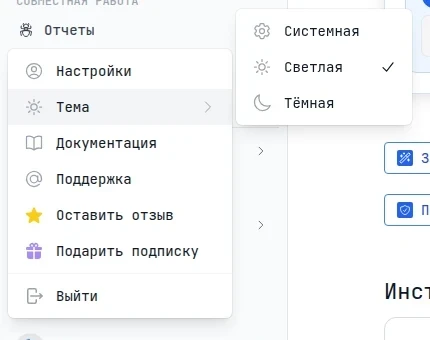
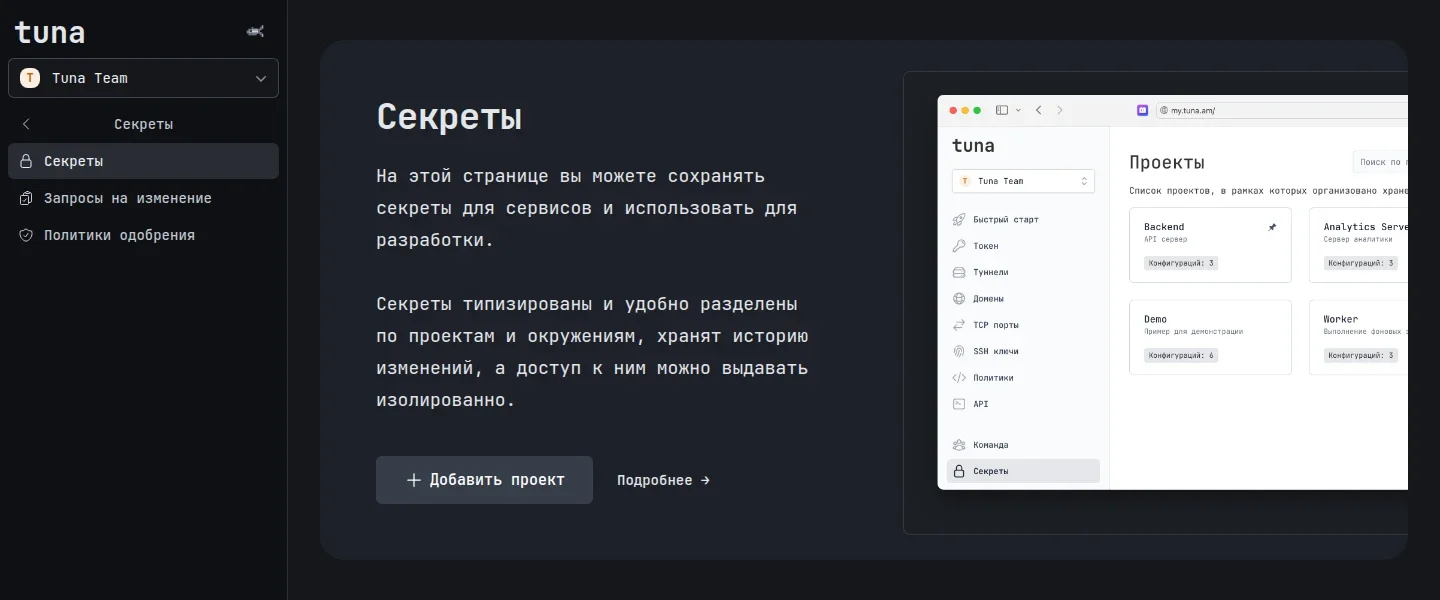
The dashboard stays light by default. The choice is stored in the browser, so you will need to choose the theme again on another device. The mobile version does not have the toggle yet.
Tuna addresses for a corporate firewall
If your network only allows outgoing traffic to known addresses, you previously had to figure out Tuna's addresses manually. Now the full list is available on the Running tuna in a corporate network page and via a public API method that requires no authorization:
curl -fsS https://api.tuna.am/v1/system/ips
The response includes cell addresses where tunnel and custom domain traffic arrives, and node addresses that the CLI connects to. You can use this method to automatically update firewall rules.
The tuna diagnose command now uses the same source. It checks access to every cell and every node and shows the DNS chain, so you can see which region GeoDNS directed you to:
DNS:
  api.tuna.am: alt-lb.tuna.am. → eu-lb.tuna.am. [147.45.149.16, 194.31.173.118]
  a.2na.am: edge-eu-a.2na.am. [2.28.136.177, 89.19.217.251]
TCP connectivity:
  tuna edge a 2.28.136.177:443: ok [41.53925ms]
  tuna edge a 89.19.217.251:443: ok [38.112708ms]
  tuna node DE node-1-de.2na.am:443: ok [52.81425ms]
  tuna node RU node-1-ru.2na.am:443: ok [34.079541ms]
If something fails to connect, send this output to support: it will help us find the cause faster.
Fixes
- HTTP tunnels wait for a response up to three hours again. After migrating to the new infrastructure, the tunnel responded with
504if the application was silent for more than a minute, making it hard to debug a request at a breakpoint. Now, as before, the connection stays open for up to three hours of inactivity. --rate-limit=Npasses exactly N requests. Previously, the flag and therate_limitaction in a traffic policy let through one fewer request, and--rate-limit=1blocked everything.- Reconnection no longer drags on. The pause before reconnection used to grow up to 16 seconds after a series of disconnects. Now it resets after a session lasting 30 seconds or more.
- Clear error reason. If the server responded with an error several times in a row, the CLI only wrote
giving up after 3 attempt(s). Now the server error message is included in the log. - Request Inspector. In the inspector settings, the "Response headers" block now shows headers from
--response-header, not the request headers. - Homebrew. Installing on macOS no longer shows the
Calling postflight is deprecatedwarning.
The full client changelog is in the changelog.
Update the client to get the fixes:
tuna update
Version 0.37 on the free plan will work until March 1, 2027; support timelines for other versions are on the Update page.
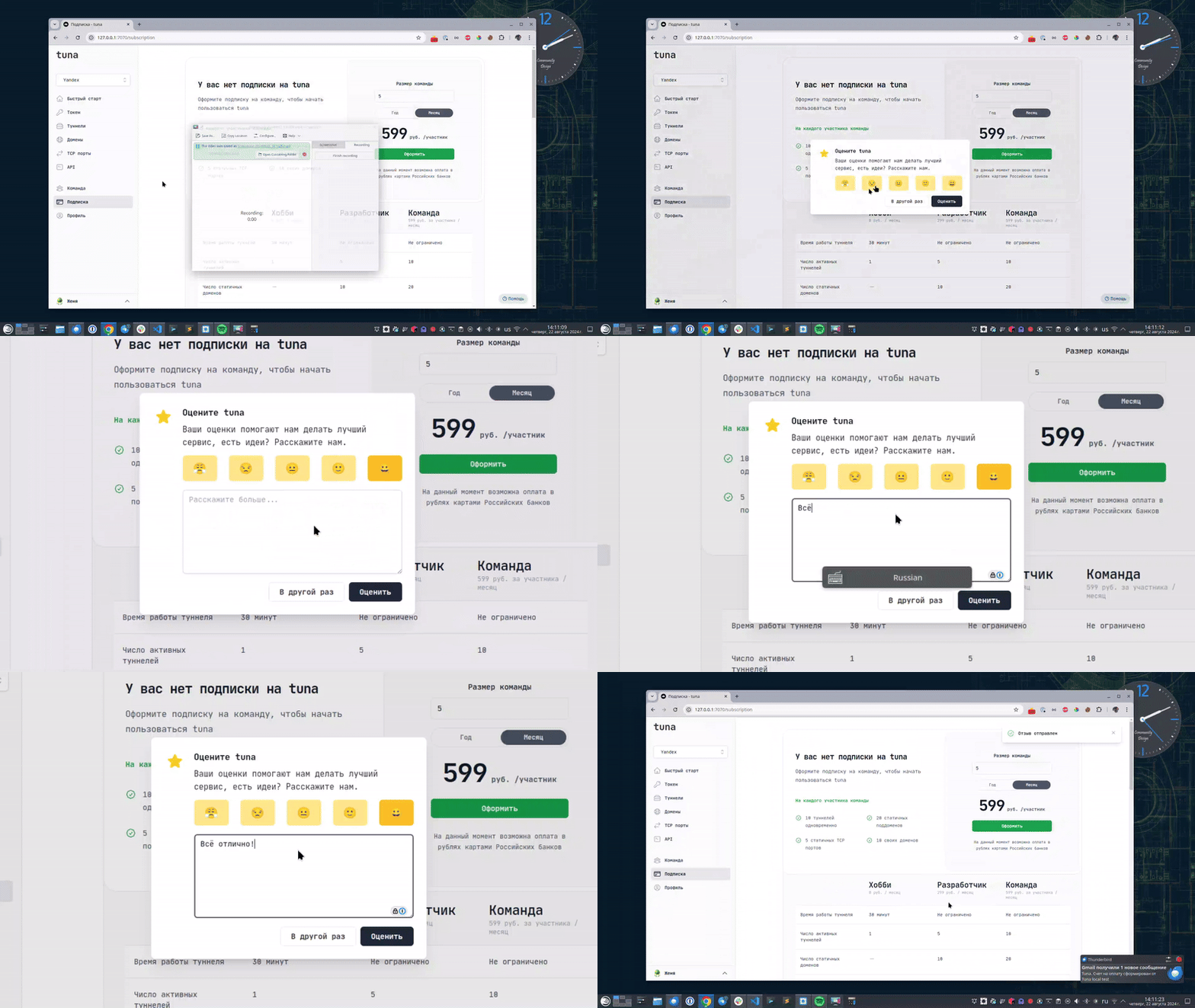
Leave feedback
If you enjoy using Tuna, or on the contrary you are not happy with something, please leave feedback.
News
We announce new features and posts on our Telegram channel. Subscribe so you don't miss anything.
Help
We value our users and carefully review every request. If you have any problems with tuna, please contact us in one of the following ways: