Service Tokens
This section is available to the Founder, Owners and Administrators.
Not all requests to an application come from humans. CI/CD pipelines, monitoring, automation scripts — they need access too, but they cannot sign in through a browser. Service tokens exist for this purpose — a Client ID + Client Secret pair that lets machines authenticate with protected applications.
Creating a token
Go to Service Tokens and click + Add token.
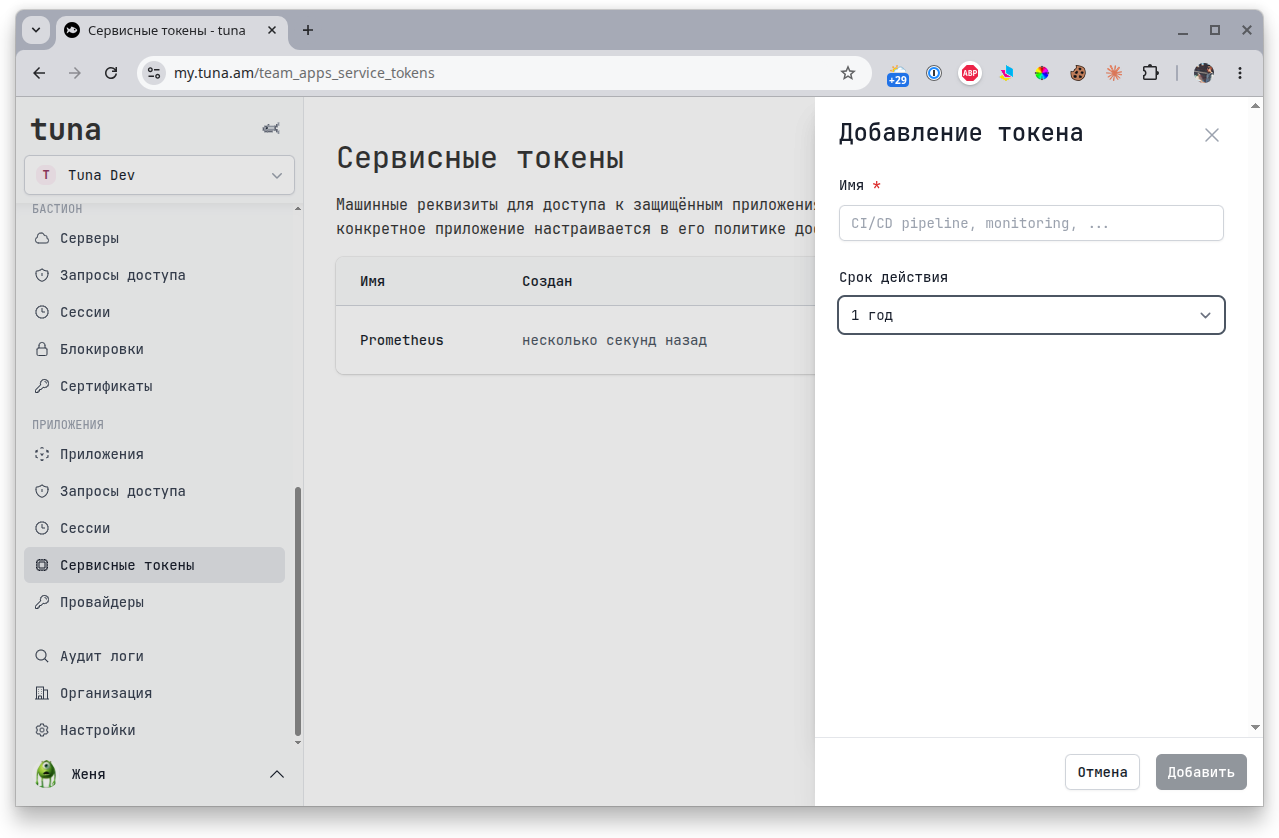
Specify:
- Name — a descriptive title reflecting the purpose: "CI/CD pipeline", "Prometheus", "Backup script".
- Lifetime — from 1 day to 1 year. The token stops working after expiration.
Usage
After creation, Tuna displays the Client ID and Client Secret. Save the secret — it is shown only once and cannot be retrieved through the interface later.
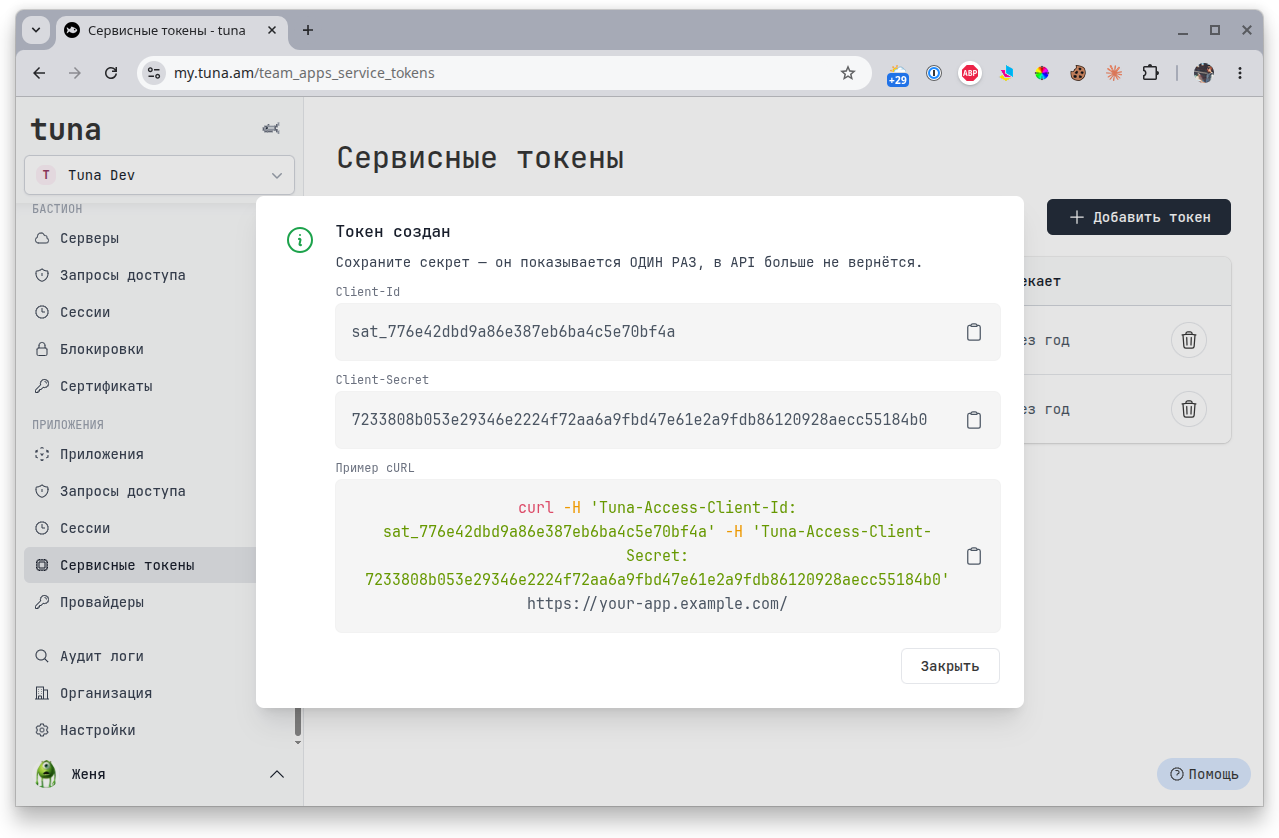
To authenticate, pass both values in the request headers:
curl -H 'Tuna-Access-Client-Id: sat_...' \
     -H 'Tuna-Access-Client-Secret: ...' \
     https://your-app.example.com/
Binding to policies
A token alone does not grant access — it only identifies the client. For a token to pass through a policy, add a rule of type Service Token and specify the Client ID of the desired token.
A typical scenario: create a separate policy (for example, "Monitoring" for the path /api/health) with a Service Token rule — and the monitoring system gets access only to the required endpoint, without access to the rest of the application.
Rotation
If a secret is compromised or it is simply time to update it, the token can be rotated. Rotation generates a new secret while the old one continues to work during a grace period (up to 60 minutes), giving you time to update the secret across all services without downtime.