Sessions
Every time a user authenticates in an application, a session is created. It remains active until it expires or an admin revokes it.
My Sessions
Each user can see their active sessions on the Apps → Sessions page.

Each session shows the application, IP address, country (via GeoIP), creation time, and expiration time. Click the trash icon to end a session — the next request will require re-authentication.
Team Sessions
Admins can see sessions for all users in the Sessions section. Clicking a row opens a detailed card with full session information.
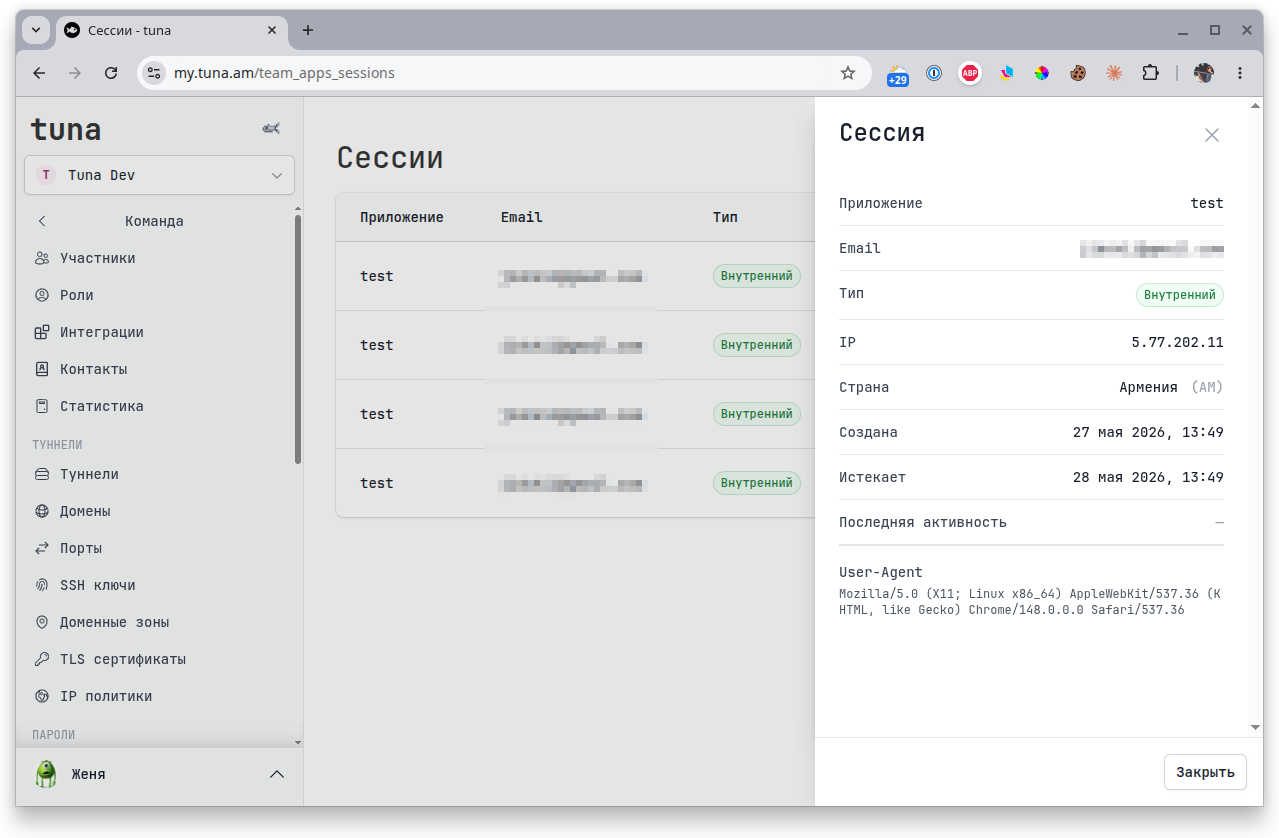
The card shows:
| Field | Description |
|---|---|
| Application | The application the session is linked to |
| User's email address | |
| Type | Internal (team member) or external |
| IP | IP address the session was created from |
| Country | Country via GeoIP |
| Created / Expires | Session lifetime |
| Last Activity | Time of the last request |
| User-Agent | Client's browser and OS |
An admin can revoke any session, and the Close All Sessions button on the application details page terminates all active sessions at once.