Access rules
Access rules define which team devices can connect to each other and on which ports. You configure them in Team → Access rules; the section is available to team admins and owners.
Default behavior
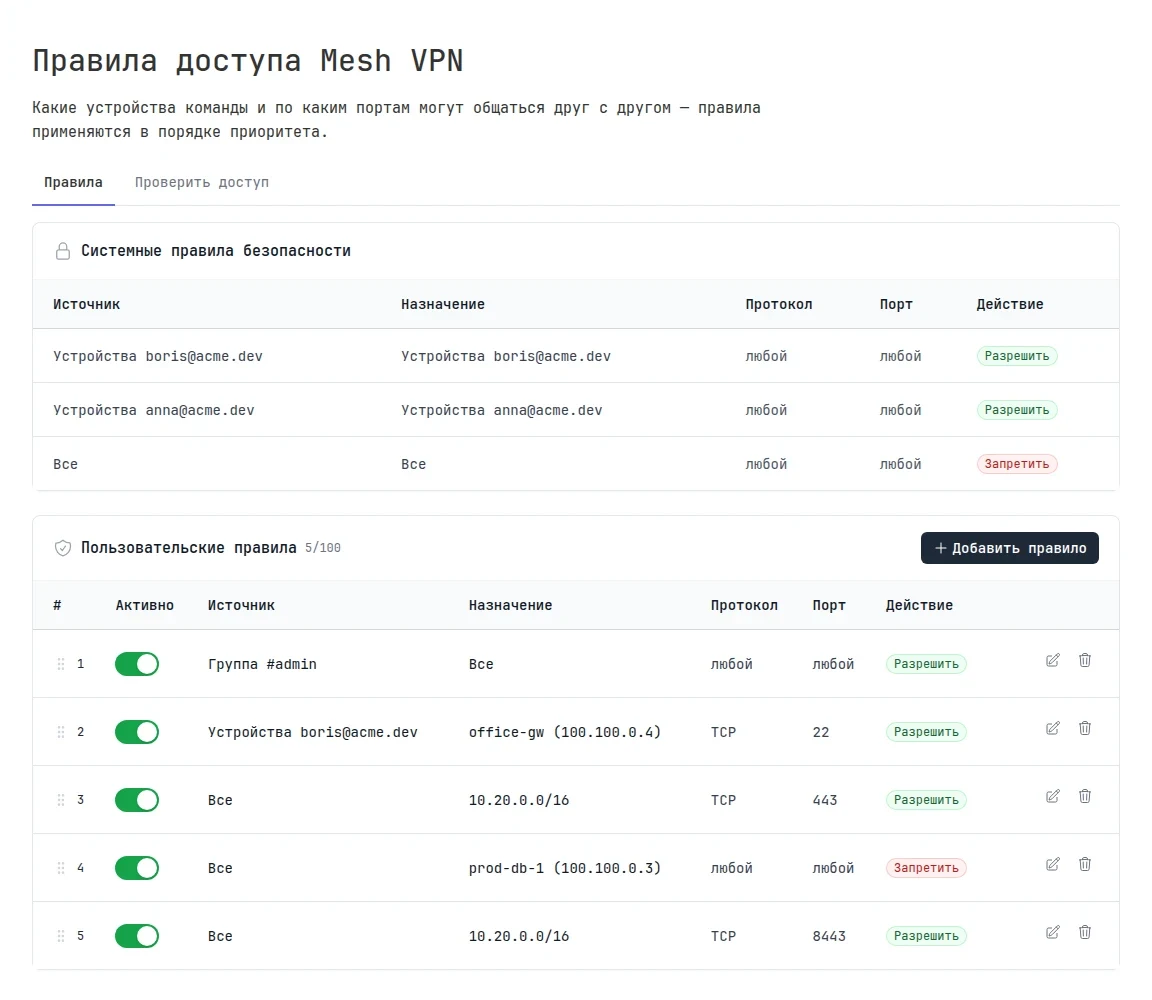
Without custom rules, the system rules apply:
- devices of the same user see each other;
- everything else is denied.
So by default, devices of different members don't see each other. To open access, add an allow rule. Custom rules are available on the Legend plan, up to 100 of them. On other plans, the section shows only the system rules.
How a rule works
| Field | Values |
|---|---|
| Source | all devices, a user's devices, a specific device, an IP address or subnet |
| Destination | the same as for the source |
| Protocol | any, TCP, UDP, ICMP, and other IP protocols |
| Port | any, a single port 22, a range 1000-2000, or a list 80,443. Only for TCP, UDP, SCTP, and the "any" protocol |
| Action | allow or deny |
Rules are checked in priority order, and the first matching rule wins. To change the order, drag the rules; system rules always come after yours. You can temporarily turn a rule off with the Enabled switch without deleting it.
Rules work at the level of IP addresses and ports; they don't distinguish HTTP requests or TLS.
Examples
Give an admin access to all devices:
| Source | Destination | Protocol | Port | Action |
|---|---|---|---|---|
| User anna@acme.dev | All | any | any | Allow |
Let everyone reach SSH on the office gateway, but close the database:
| Source | Destination | Protocol | Port | Action |
|---|---|---|---|---|
| All | office-gw | TCP | 22 | Allow |
| All | prod-db-1 | any | any | Deny |
Open the web interfaces in the office subnet shared by the gateway to everyone:
| Source | Destination | Protocol | Port | Action |
|---|---|---|---|---|
| All | 10.20.0.0/16 | TCP | 443 | Allow |
Check access
On the Check access tab, you can find out whether the rules allow a connection without sending any traffic. Select the source and destination, the protocol and port, and click Check access. The result shows whether access is allowed and which rule matched.
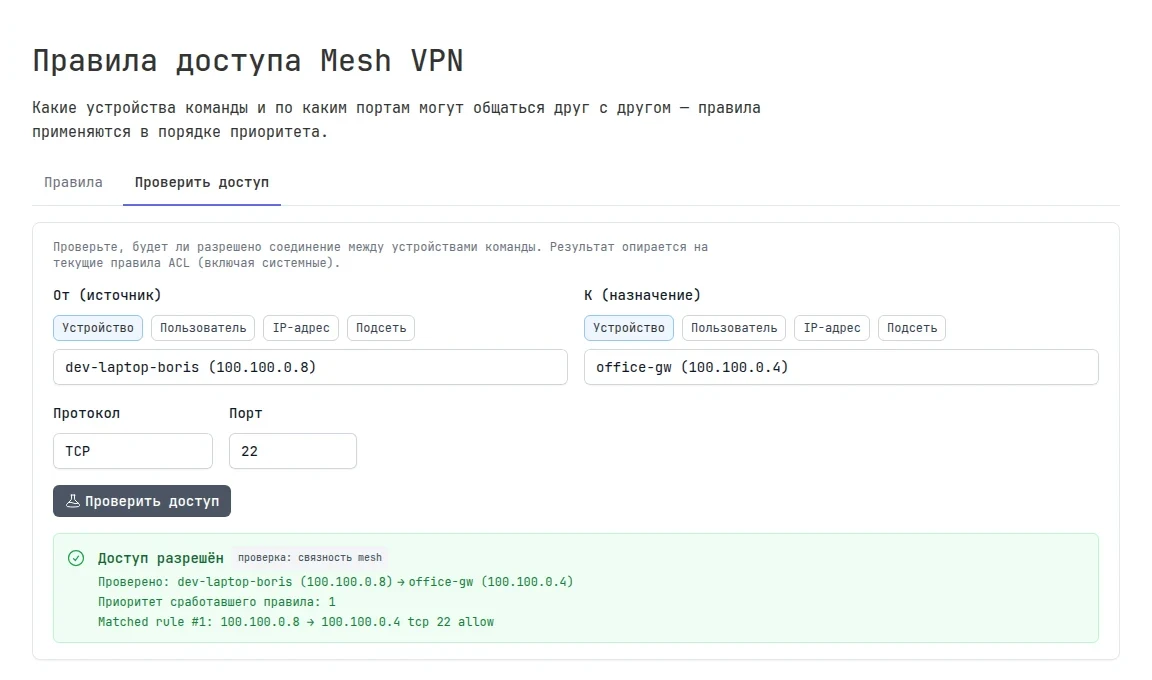
The same from the command line, from the current device:
tuna mesh debug trace self office-gw --proto=tcp --dport=22
Changing the plan
If the team moves from Legend to another plan, custom rules aren't deleted but stop working: only the system rules remain. After you return to Legend, the rules work again.