Team management
Team members manage their devices, tokens, and exit nodes in the Mesh section. Team admins and owners also have the Team → Mesh VPN section, which brings together the devices and settings of the whole team.
This section is available to the Founder, Owners and Administrators.
A personal team doesn't have this section: everything is configured on the Mesh pages.
Devices
The section lists all team devices: name, owner, environment label, OS, Mesh IP, transport, and last activity.
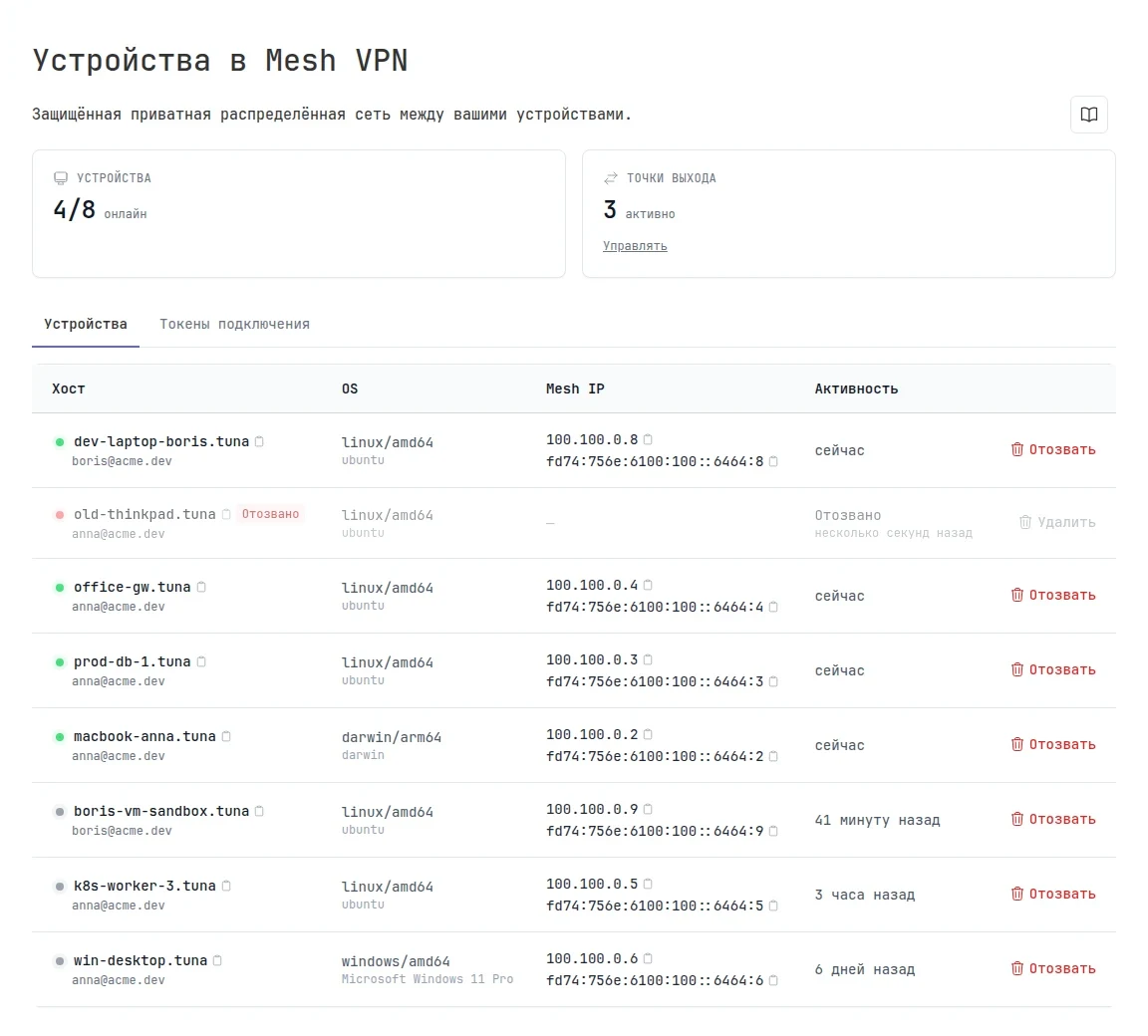
Here you can:
- change a device's environment label;
- revoke any device: the session drops immediately, and the device can be connected again only with
tuna mesh loginor a new token.
The Connection tokens tab collects the tokens of all members: who created each one, how many activations are used, and which devices were connected with it. You can revoke a token you no longer need. Members create tokens themselves in Mesh → Connection tokens.
Exit nodes
The section shows all exit nodes and subnets of the team: the type, who can use them, and how many devices are connected right now. The device owner controls access, and an admin can forcibly withdraw a route, for example if a device shares a subnet by mistake. For details, see Exit nodes and subnets.
Access rules
Access rules define which devices can talk to each other and on which ports.
Certificate authorities
The settings show the fingerprints of two certificate authorities:
- Host CA (platform) signs the Tuna nodes. The device uses it to verify that it connects to the real Tuna infrastructure;
- User CA (team) signs the certificates of your team's devices.
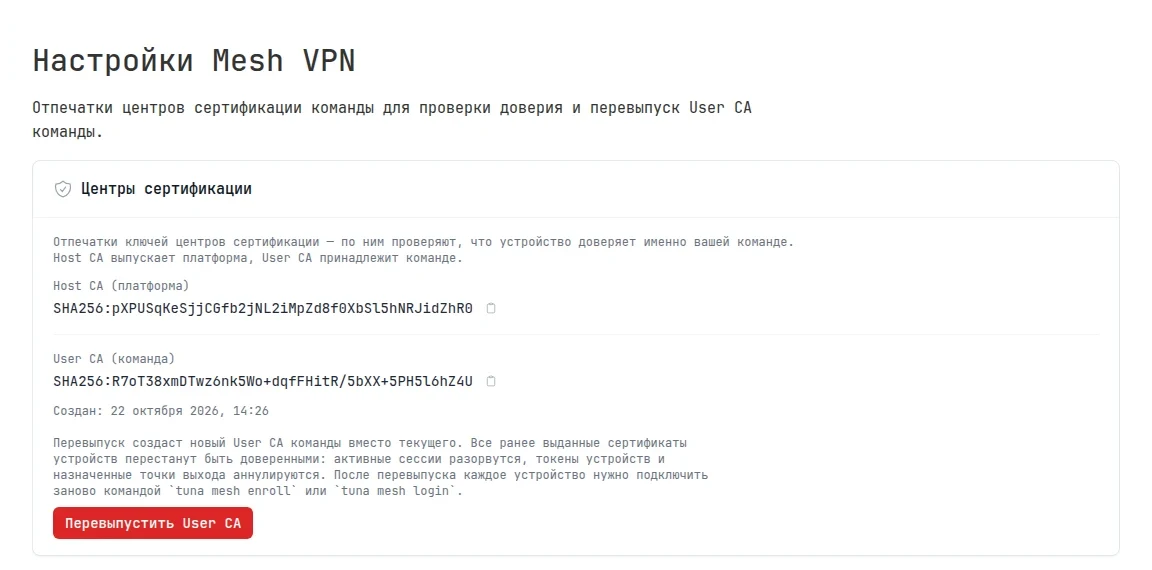
A device certificate is valid for 7 days and renews automatically while the device is on. A device that was off for longer needs to be connected again.
Reissuing the User CA
Reissue the User CA only if the keys of the team or its devices are compromised. To cut off a single device, just revoke it.
After you click Reissue User CA and confirm, all team devices are disconnected: sessions drop, and the issued certificates and exit node assignments are revoked. You then need to connect each device again with tuna mesh login or tuna mesh enroll.