
 Tunnels
 Webhooks
 Gateways
 Monitors
 Passwords
 Secrets
 Bastion
 Reports
 Boards
 Meet
Meet Teams
TeamsTunnels today:
Your local project — online with one command
A public HTTPS link to an app running on your computer. Show a site to a client, receive a webhook from Telegram or a payment provider, open your project on a phone.
- No public IP
- No router setup
- No VPN
- Free plan
~ $ tuna http 3001What is Tuna
Tunnels are a convenient way to open access to your local project from the internet. You run the app on your computer, execute one command — and get a public HTTPS link that anyone can open: a client, a colleague, or an external service.
No need to deploy the project to a server, get a public IP, or configure a router or a VPN — Tuna connects your computer to the internet for you.
Why you need it
Show a site to a client
before deploying it to a server
Receive a webhook
from a bot, payments, or GitHub
Open the project on a phone
and check the mobile layout
Give access to a database
or to a device behind a router
- people have already used it
- 25,000+
- unlimited usage time
- on the market
- 4 years
How it works
Three steps — from a local project to a public link.
- 1
Install and log in
A CLI for macOS, Linux, and Windows, or the Tuna Desktop app.
$tuna login - 2
Start a tunnel
Specify the port your local project is running on.
$tuna http 3000 - 3
Share the link
Open it from anywhere: requests will come to your computer.
yourdomain.ru.tuna.am
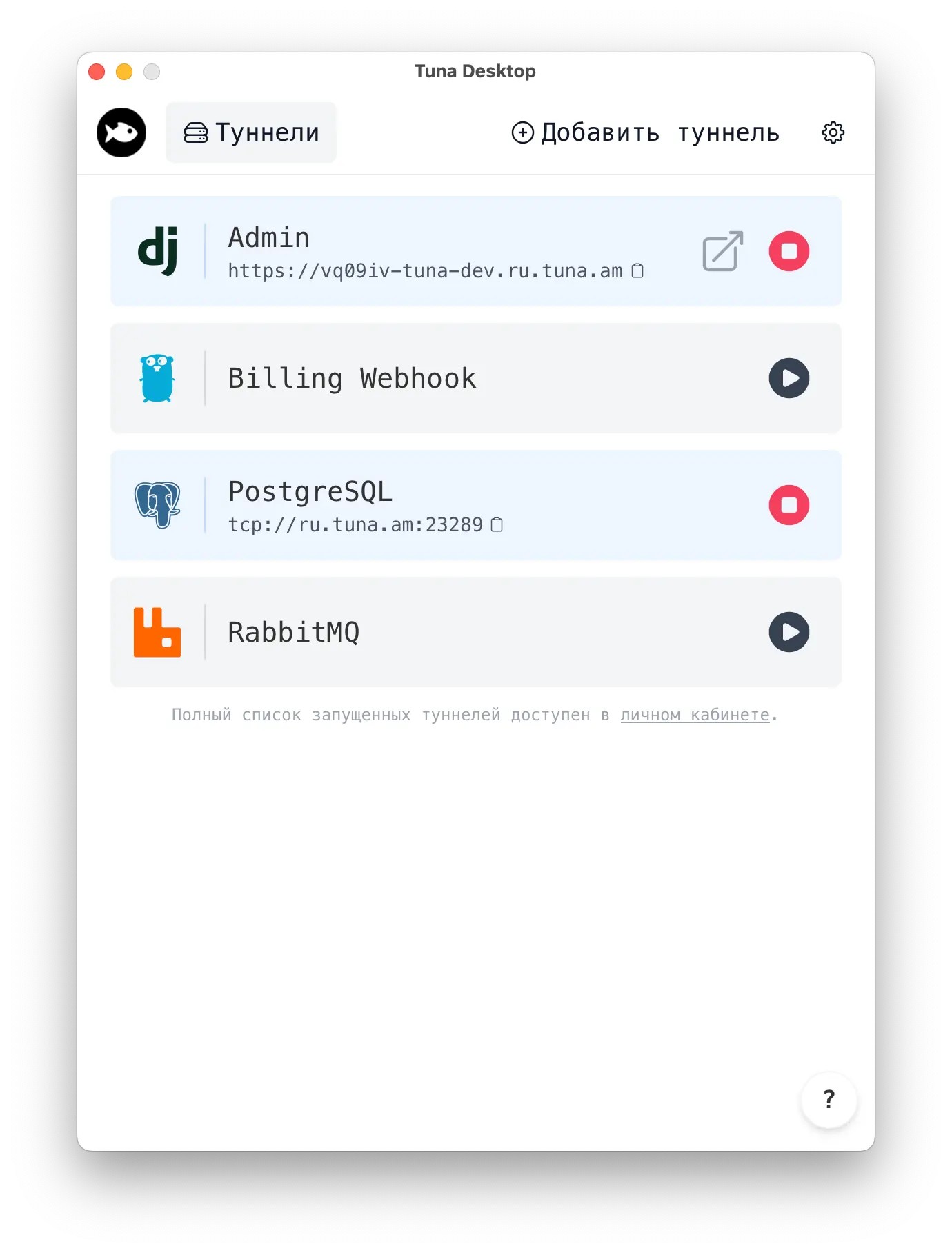
Tuna Desktop
A new way to manage tunnels without the console. Install it on Windows, macOS, or Linux and get started in seconds.
- All tunnels in one window
- Start and stop with one button
- Copy the link or open it in the browser right away



Pricing
Start for free — with no time limit. Paid plans are for when you need more tunnels and your own domains. Each one includes everything in the free plan.
Beginner
$0
no time limit
Try for free- 1 domain
- Tunnels with no time limit
- HTTPS and end-to-end encryption
- HTTP request inspector
- Built-in file server
Pro
$5
per month
Buy- 5 simultaneous tunnels
- Permanent subdomain for a tunnel
- Your own domain
- TCP traffic forwarding
- Built-in SSH/SFTP server
Legend
$10
per member per month
Buy- 10 simultaneous tunnels
- 20 permanent subdomains
- 10 own domains
- 5 static ports
- Traffic policies
They trust us
Developers at these companies are already speeding up their work with Tuna.


















What users say
Everything is great, the service really helps. You can set up a tunnel even with your own domain without buying a certificate. Perfect for local development!
Artem S. Started 2 tunnels and went on vacation. Was very worried something would break. Nothing ever broke. Constant remote access. Thank you!
Eli N. Finally found a quality replacement for NGROK, the latency is pleasantly surprising, and parking your own domain is just something else) SUPER!
Igor
Common questions
Didn't find an answer? Write to our Telegram community or email info@tuna.am.
Does the free plan really have no time limit?
Yes. Tunnels on the free plan work with no time limit; the main restriction is one domain. When you need more, you can switch to a paid plan.
Is it safe to open access to a local project?
Only the port you specified in the command is exposed. You can protect the link with a password:
tuna http 3000 --basic-auth="login:password"How is Tuna different from ngrok?
Tuna works in Russia and accepts cards issued by Russian banks. The free plan has no time limit, and paid plans let you connect your own domain. There is also the Tuna Desktop app and a Telegram community.
Which systems does Tuna run on?
The console client is available for Windows, macOS, Linux, and FreeBSD, and as a Docker image. For Windows, macOS, and Linux there is the Tuna Desktop app for working with tunnels without the console.
Can I connect my own domain?
Yes, on paid plans: a permanent subdomain or your own domain.
How do I pay?
With cards issued by Russian banks in rubles, or with any cards, including those issued by foreign banks, in US dollars.
How do I cancel a subscription?
In your account, on the subscription management page. Services remain available until the end of the paid period.
Are there any load limits?
Yes: up to 100 requests per second per domain.
Try it for free
A free plan with no time limit. Installation and initial setup take no more than a minute.
Try for free- No time limit
- 1 domain
- HTTPS and encryption
- HTTP request inspector
- Built-in file server
- Tuna Desktop app