Gateways
A gateway is an always available cloud load balancer or WEB server with flexible traffic processing policies.
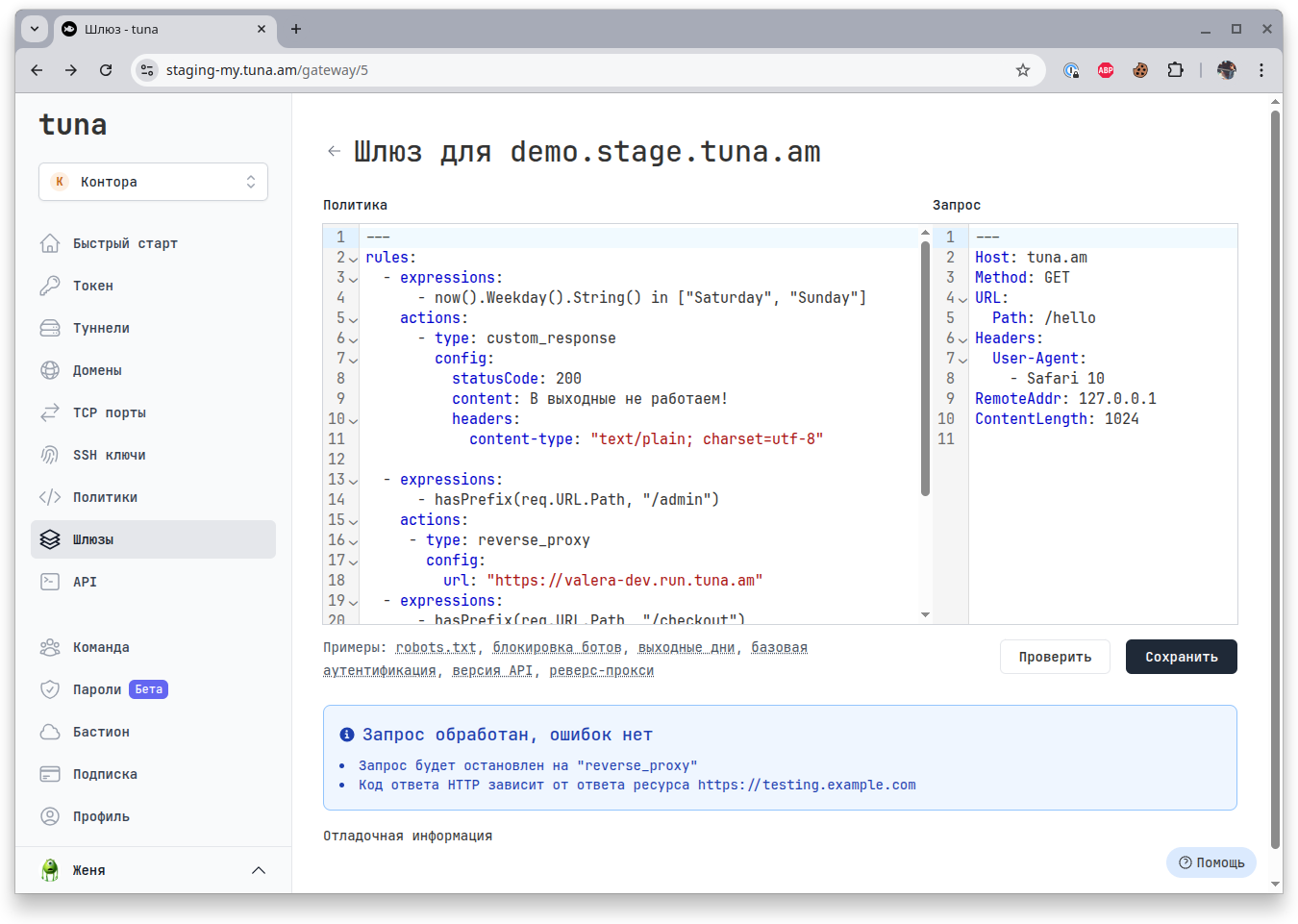
Overview
You can reserve your own or use a domain in the tuna.am zone and create a gateway for this domain. Gateway descriptions use traffic policies. After saving, the settings will be applied and requests will start being processed by the node to which the domain and accordingly the gateway is assigned.
When is this useful?
Tunnels are great, but sometimes the environment consists of several services, some of which are running on your machine, on your colleague's machine, and in a test environment. But thanks to flexible traffic policies you can distribute requests to the right points, manage headers, authorization, working hours, and much more.
How to create a Gateway?
- Reserve a domain in the domains section that you plan to use, for this article's example it will be
demo.stage.tuna.am - Go to the Gateways section and click Add gateway, select the previously reserved domain.
- Describe the policy using traffic policies syntax and click Create.
If the syntax is correct, the gateway will be immediately available and you can start working.
Example
Imagine a demo stand available only on weekdays, the main part of which is in a test environment, and 2 microservices are behind developers' tunnels.
rules:
  - expressions:
      - now().Weekday().String() in ["Saturday", "Sunday"]
    actions:
      - type: custom_response
        config:
          statusCode: 200
          content: We don't work on weekends!
          headers:
            content-type: "text/plain; charset=utf-8"
  - expressions:
      - hasPrefix(req.URL.Path, "/admin")
    actions:
     - type: reverse_proxy
       config:
         url: "https://valera-dev.run.tuna.am"
  - expressions:
      - hasPrefix(req.URL.Path, "/checkout")
    actions:
     - type: reverse_proxy
       config:
         url: "https://alena-dev.run.tuna.am"
  - actions:
     - type: reverse_proxy
       config:
         url: "https://testing.example.com"
So on weekends you will get the message We don't work on weekends!, and on weekdays all main requests will go to the test environment at https://testing.example.com, everything behind /admin will go to the tunnel https://valera-dev.run.tuna.am, and /checkout to https://alena-dev.run.tuna.am.