Usage
After launching bastion servers, you can connect to them using the tuna client.
Authorization
Before proceeding, select the server you need access to, you can view the list of servers here. If you don't have access, request it from team administrators.
Next, you need to authorize by specifying the login of the end user on the server, in our example this is root, although we recommend using a dedicated user.
$ tuna bastion login root
INFO[12:01:27] Open in your browser: https://my.tuna.am/bastion_login/c95e812f-e1ef-4f32-a8e3-4fec7ddb7406
INFO[12:01:27] Waiting for approval...
At this point you will need to confirm that you are you by following the link and authorizing on the Tuna portal. This is part of the Zero Trust principle.
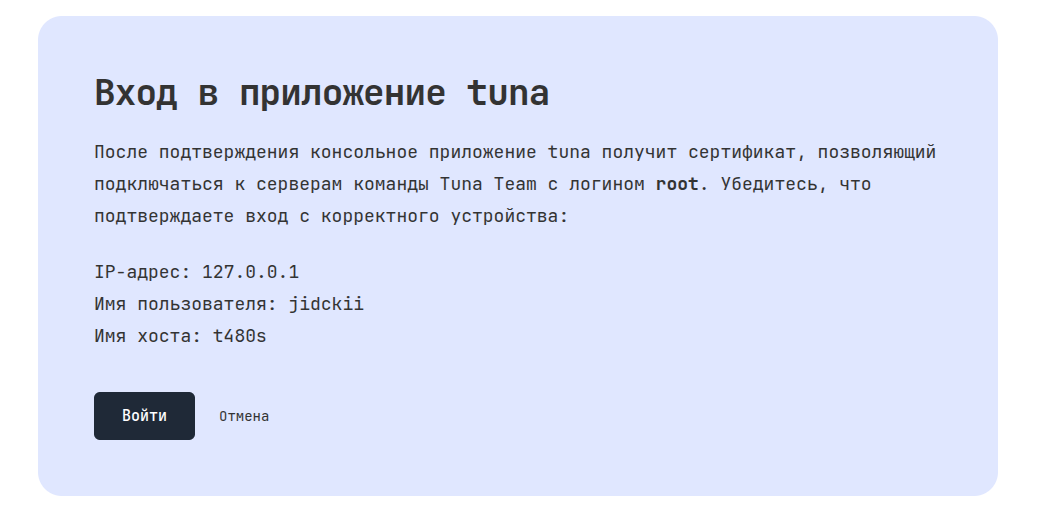
If everything is fine, a 12-hour certificate will be signed for your user, with this certificate the user will be able to connect to bastion servers to which they have been granted access using roles. All keys and certificate will be saved locally.
INFO[12:03:03] Keys directory: /home/jidckii/.tuna/bastion/keys
Connection
With a valid certificate, you can view the list of available servers in the console:
$ tuna bastion ls
INFO[12:58:24] t480s (env=testing, region=am, service=ssh)
Or connect immediately:
tuna bastion ssh root@t480s
Login root is given as an example, you may have your own user.
If there are sufficient permissions and no locks, an active session will appear both for the user and in the administrator section.
You can also generate ssh_config and use it to connect through the native ssh-client, for example:
$ tuna bastion ssh_config root@t480s
Host t480s
    Hostname 127.0.0.1
    Port 1234
    User root
    CertificateFile /home/example/.tuna/bastion/keys/root-cert.pub
    UserKnownHostsFile /home/example/.tuna/bastion/keys/known_hosts
    IdentityFile /home/example/.tuna/bastion/keys/id_rsa
Save it to a local file and use it for connection
tuna bastion ssh_config root@t480s > t480s.ssh_config
ssh -F t480s.ssh_config t480s
After the certificate expires, you will need to authorize again with tuna bastion login and issue a new certificate. But if the client session is active and the connection works through the tuna bastion ssh wrapper rather than directly through the native ssh-client, then as the expiration date approaches, the certificate is also automatically rotated.