Secrets
This section describes the features and functions of Secrets.
Overview
Secrets is a Tuna platform component designed for secure storage of confidential and other data, convenient management of application configurations in any environment: locally, CI/CD, test and production environments. It is an excellent alternative to .env files in combination with direnv or environment variables in GitLab CI/CD / GitHub Actions.
- VK Video
- YouTube
Who is it for?
- Developers — to simplify environment setup and reduce the number of "magic" values in code.
- DevOps engineers — for centralization and automation of configurations.
- Teams — for secure and controlled shared access to confidential data.
Main features
We adhere to common structure, so secret storage is divided by projects, within projects there are environments, and within environments there are main or child configurations. Within configurations there are many functions for working directly with secrets and access to them, auditing, and more. When working in a Team, the roles section provides the ability to granularly distribute team members' access to the necessary environments in projects.
Access to secrets is performed through the web interface of the dashboard, using the console client tuna or through the API.
All secrets are stored in our database in encrypted form, while the encryption key is not stored in the database itself, so in case of a database leak, your secrets will remain anonymous. However, Secrets is not Passwords, here we do not apply the zero-knowledge approach, in favor of convenience. Secrets allow you to conveniently manage sensitive application settings, like integration tokens with external services, database connection URLs and other settings.
Projects
You can create multiple projects, where a project is understood as one application, for example an API or an authorization server. Each project has a Name and an Alias. Name is the name displayed in the interface convenient for perception, can have spaces, etc., and Alias is needed for referring to the project through tuna CLI or through the API.
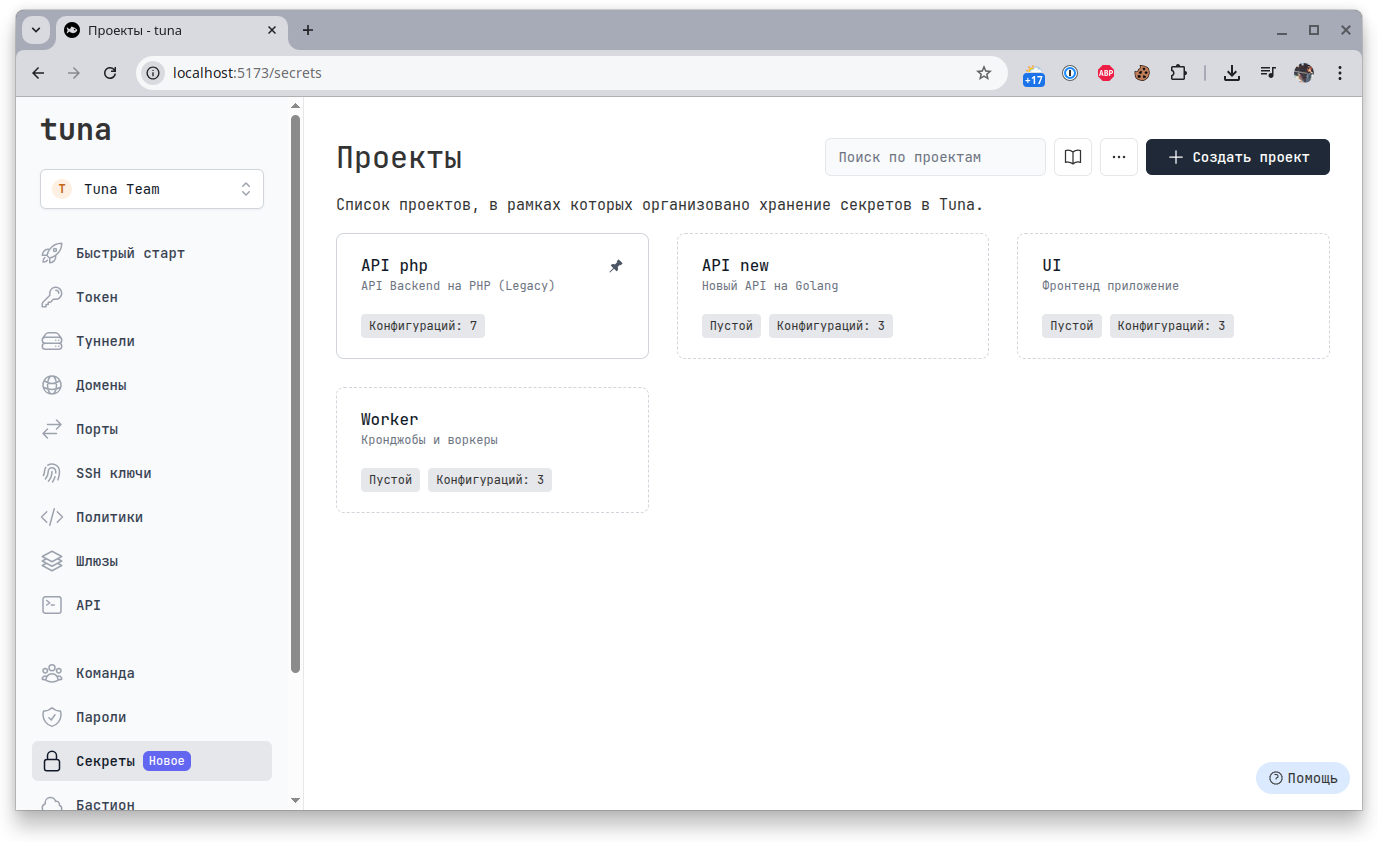
The number of projects you can create is limited and depends on the plan.
Environments
Each project contains environments, by default 3 (Development, Staging, Production), they can be renamed, reordered, and also added or removed according to your needs.
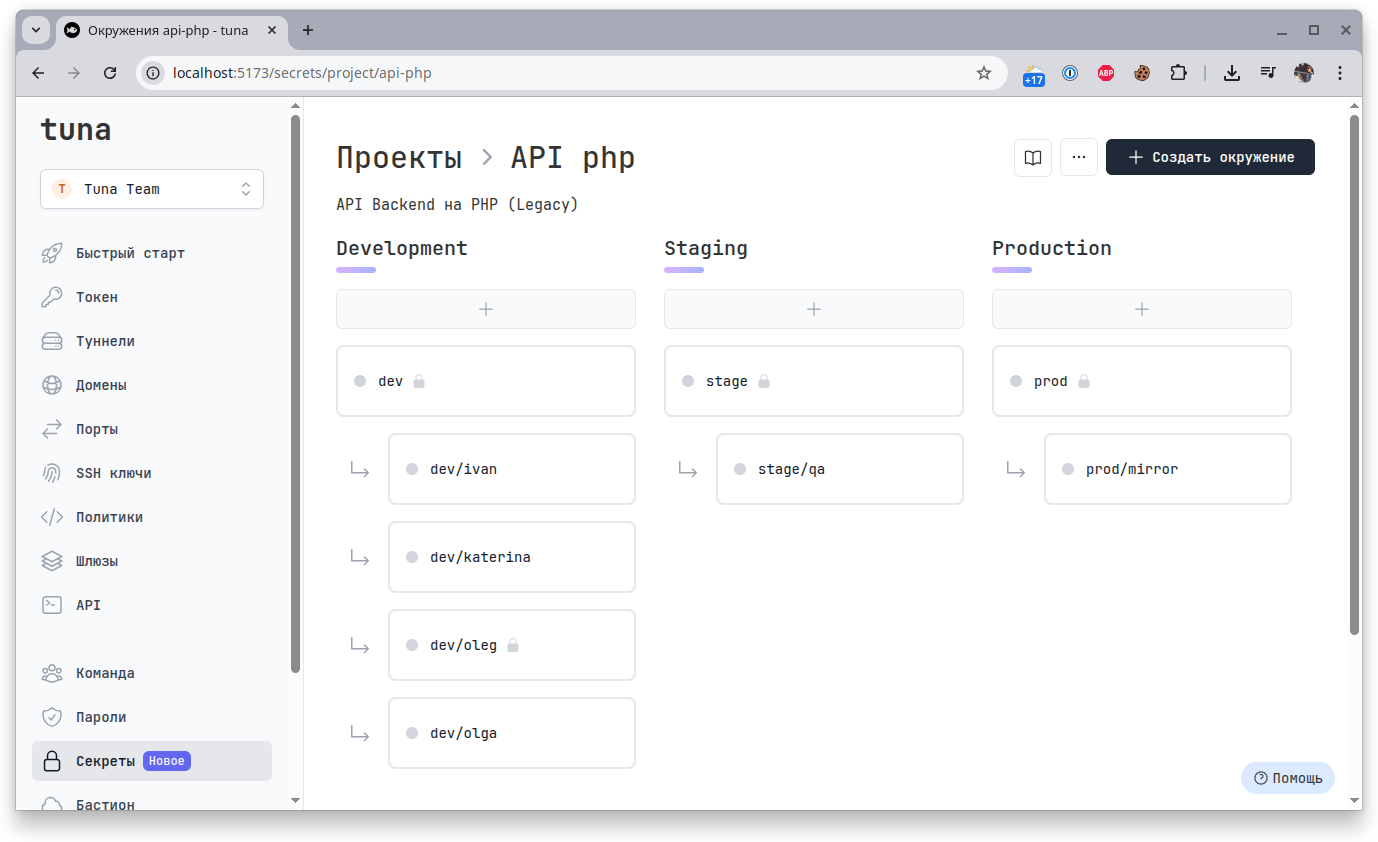
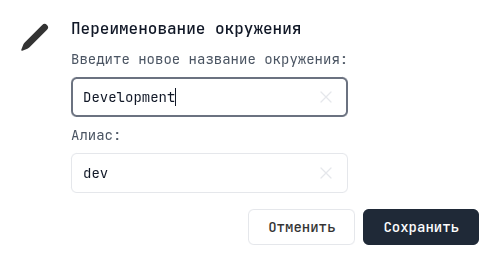
Like projects, environments have a Name and an Alias:
Configurations
Each environment has a main configuration that cannot be deleted. Relative to the main configuration in an environment, you can create its copies, i.e. child configurations.
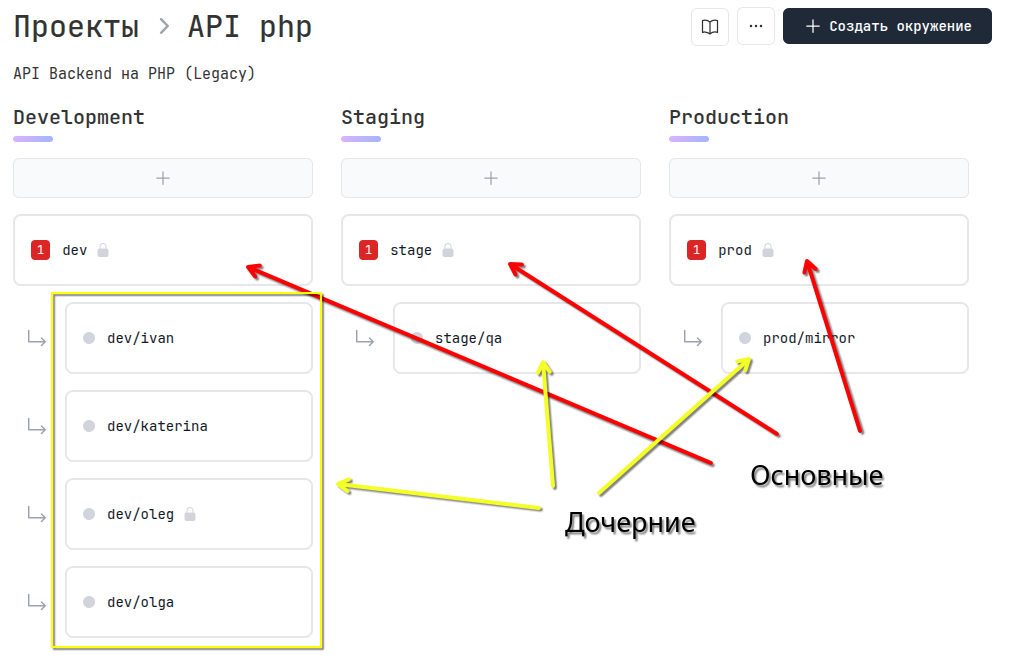
For example, you have a Development environment - this is the master branch in git from which a stand is deployed. Relative to the main configuration, each developer can create their own unique configuration.
Secrets
The secrets themselves represent a Key = Value pair. The Key is always a string in the format of an environment variable name. The Value can be anything.
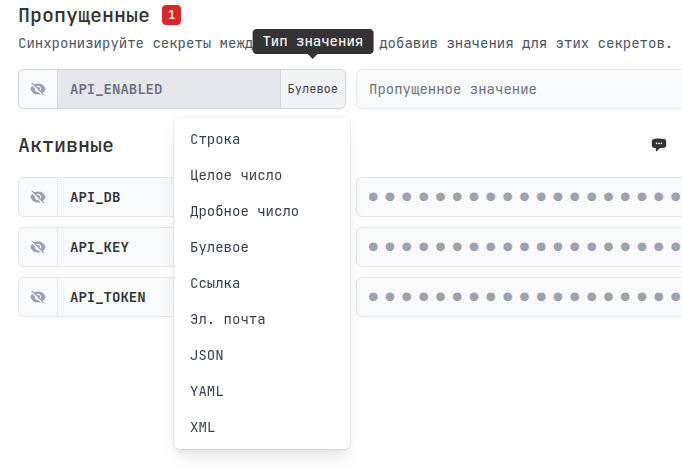
For greater security, we add the ability to set a type for each variable, for example you know for sure that API_ENABLED is a bool, and you can define this, then you will definitely not make a mistake and write a string or number there.
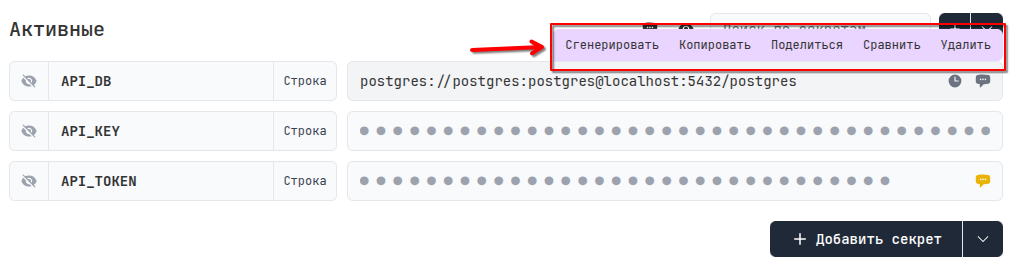
By hovering over the value and clicking, you can display it, and additional value management buttons will appear at the top.

For example, this is what the secret generator looks like:
Comments
You can leave a comment for each secret:

- Display comment for a specific secret
- Display comments for all secrets
Reminders
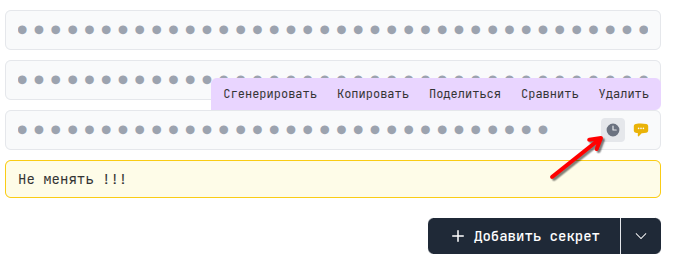
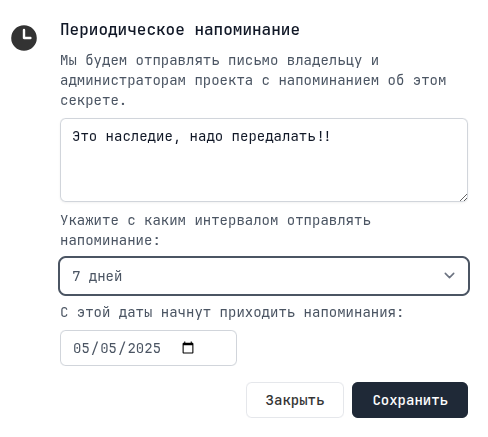
You can also leave reminders for each secret, and you will receive email notifications:
Secret synchronization across environments
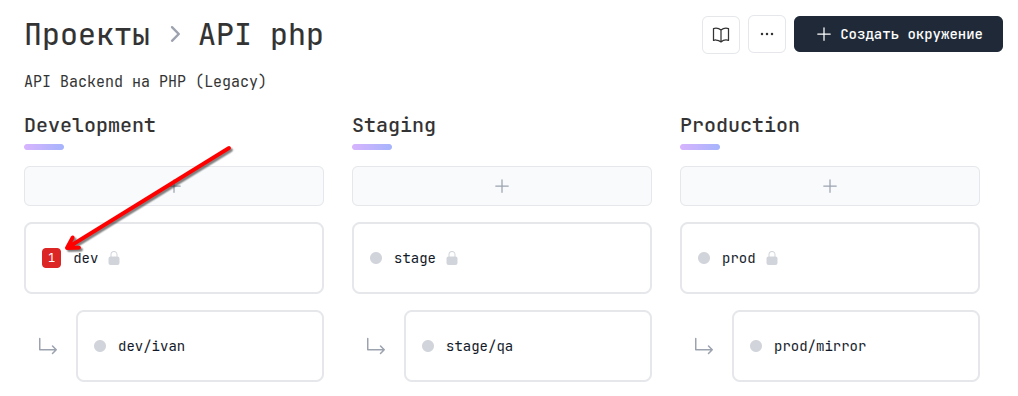
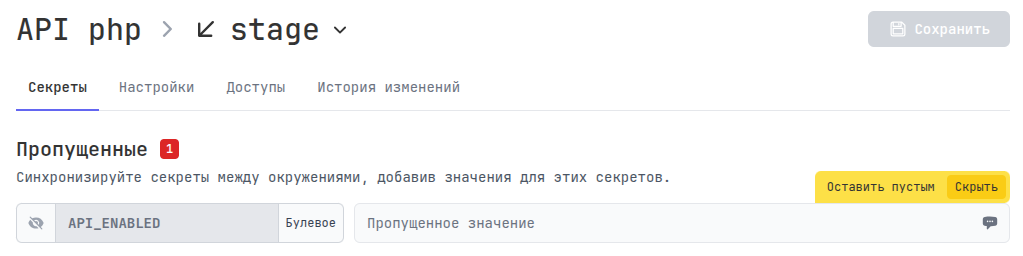
When adding new variables to the main configuration of any environment, you will see an indicator on other environments that some variables are missing:
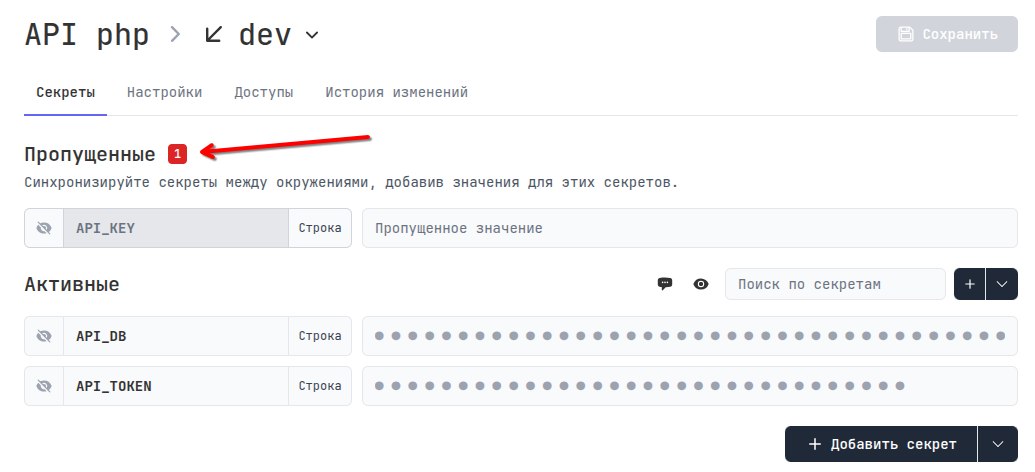
You will be prompted to fill in the missing secrets or hide them:

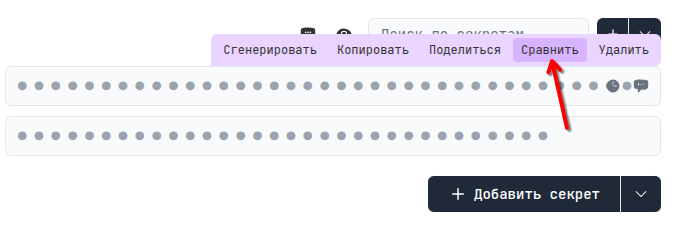
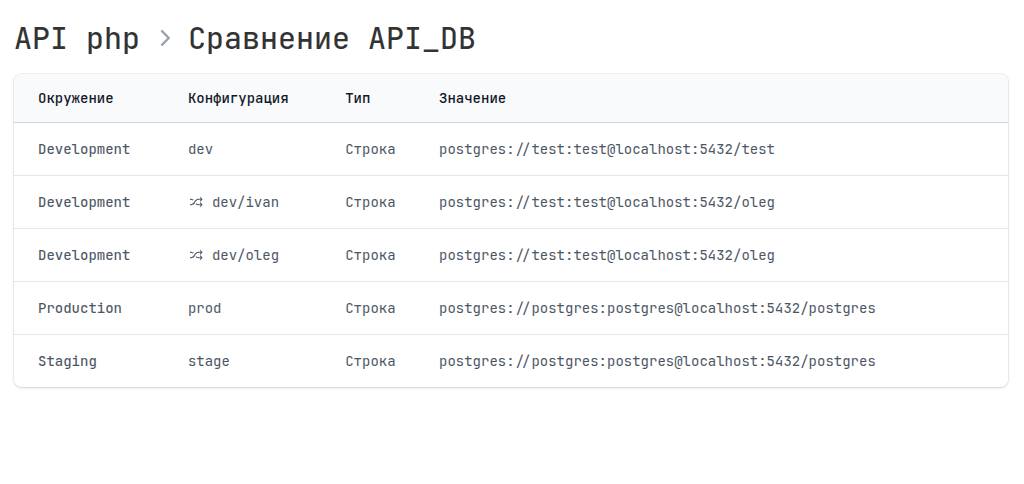
Comparing secret values across environments
You can always conduct an inventory and compare the value of a secret in all environments and make sure, for example, that the connection to the Production database is not mistakenly copied to Staging or Development.
Hidden secrets
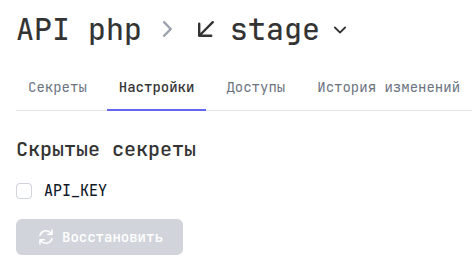
Of course, there may be variables that exist only in one environment, for example in Production, and to avoid constantly seeing a notification about missing secrets, you can hide them, but they will be displayed in the configuration settings.
Access
Доступно только по подписке.
Service keys
You can issue a unique Service key for this configuration, this is analogous to a user API key, but limited only to this configuration. A Service key can be restricted to either read-only or read and write. This is useful, for example, for CI/CD.
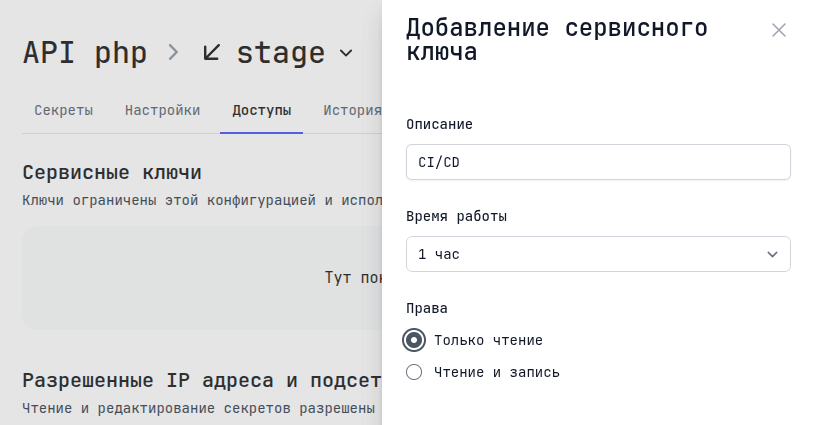
A Service key can be identified by the prefix tst_, whereas an API key has the prefix tak_, and a token for creating tunnels has the prefix tt_.
Allowed IP addresses and subnets
Access can also be restricted by IP addresses and subnets in CIDR format. By default, everyone is allowed.
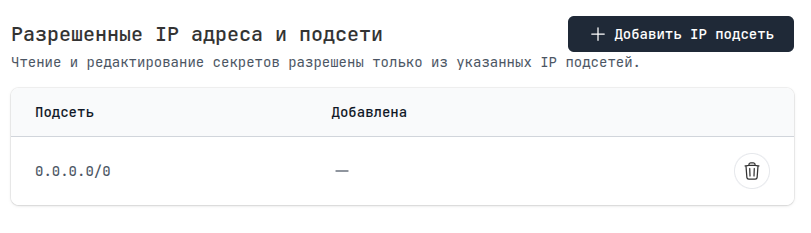
In combination, for example, you can issue a Service key for the prod environment and restrict receiving secrets to IP addresses from gitlab-runners and your Production servers.
Change history
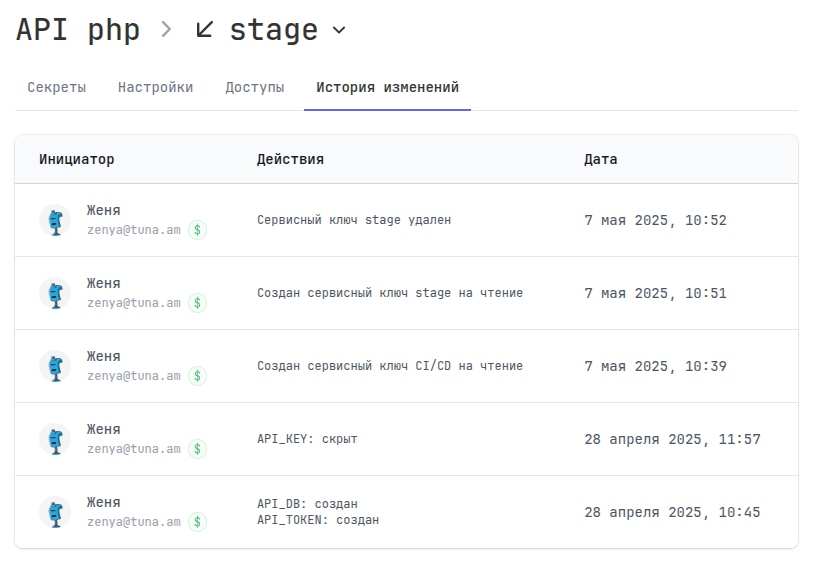
Full audit of all actions and changes within the configuration is also maintained. If someone changed the database connection password, you will be able to find out about it.
Navigation
📄️ Working in CLI
Getting secrets and configuring environment through the tuna console client
📄️ Examples
Examples of working with tuna secrets
🗃️ Guides
1 item