🆕 Reports - new functionality
We're pleased to introduce a new component of the Tuna platform - Reports. Designed for generating error reports on your website. With an embeddable script, users and QA engineers can easily show where the bug is hiding, and you get debugging information and can immediately start fixing it.
Go to Reports section in documentation
How does it work?
-
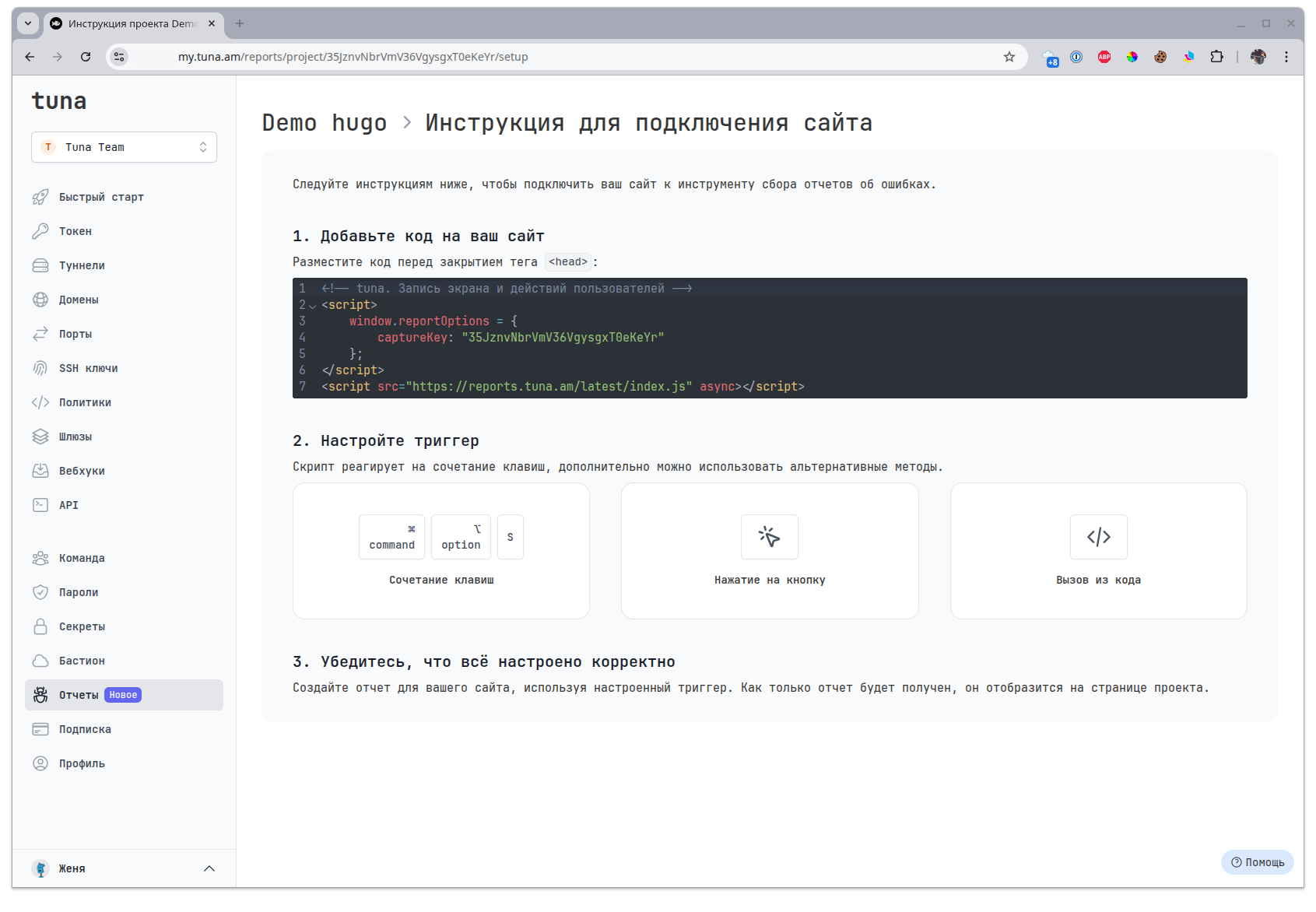
Go to your dashboard and create a project in the Reports section.
-
Add this code to your website before the closing
<head>tag:<!-- tuna. Screen and user actions recording -->
<script>
window.reportOptions = {
captureKey: "YOUR_CAPTURE_KEY"
};
</script>
<script src="https://reports.tuna.am/latest/index.js" async></script> -
Call the script with
CTRL + ALT + Sor⌘ + ⌥ + Sand create a report.
What does a report look like?
Внутри отчёта будет скриншот или видео и вся отладочная информация из консоли, сетевые операции, действия пользователя и снимок DOM-дерева страницы.
- Информация
- Инспектор
- Консоль
- Сеть
- Действия
- Комментарии
На первой вкладке содержится общая сводная информация о клиенте, устройстве, браузере...
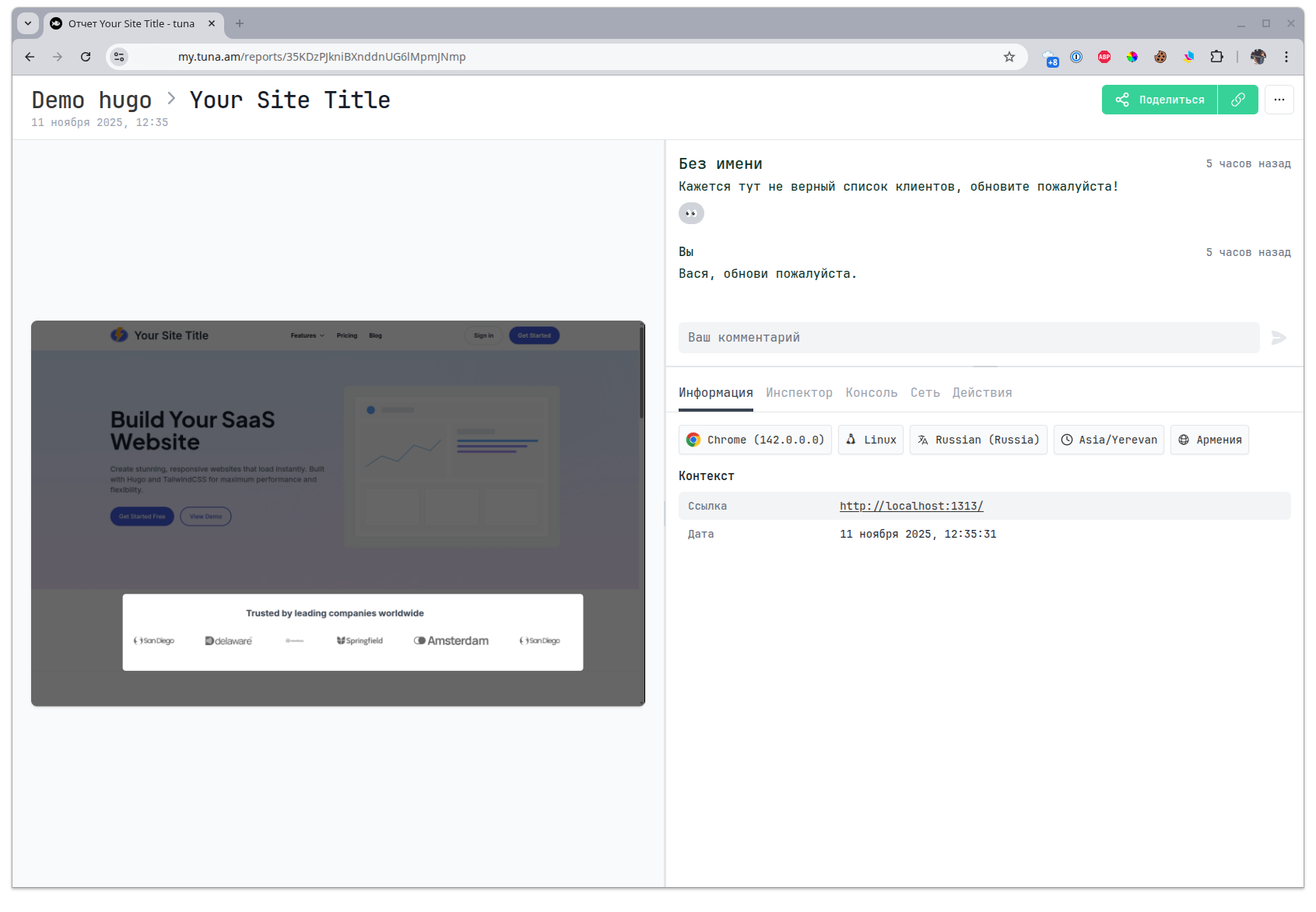
Снимок DOM-дерева страницы, с возможностью выбора элемента.
Эта вкладка доступна только для отчётов с скриншотом, в отчётах с видео невозможно захватить снимок DOM-дерева так как он может меняться по ходу.
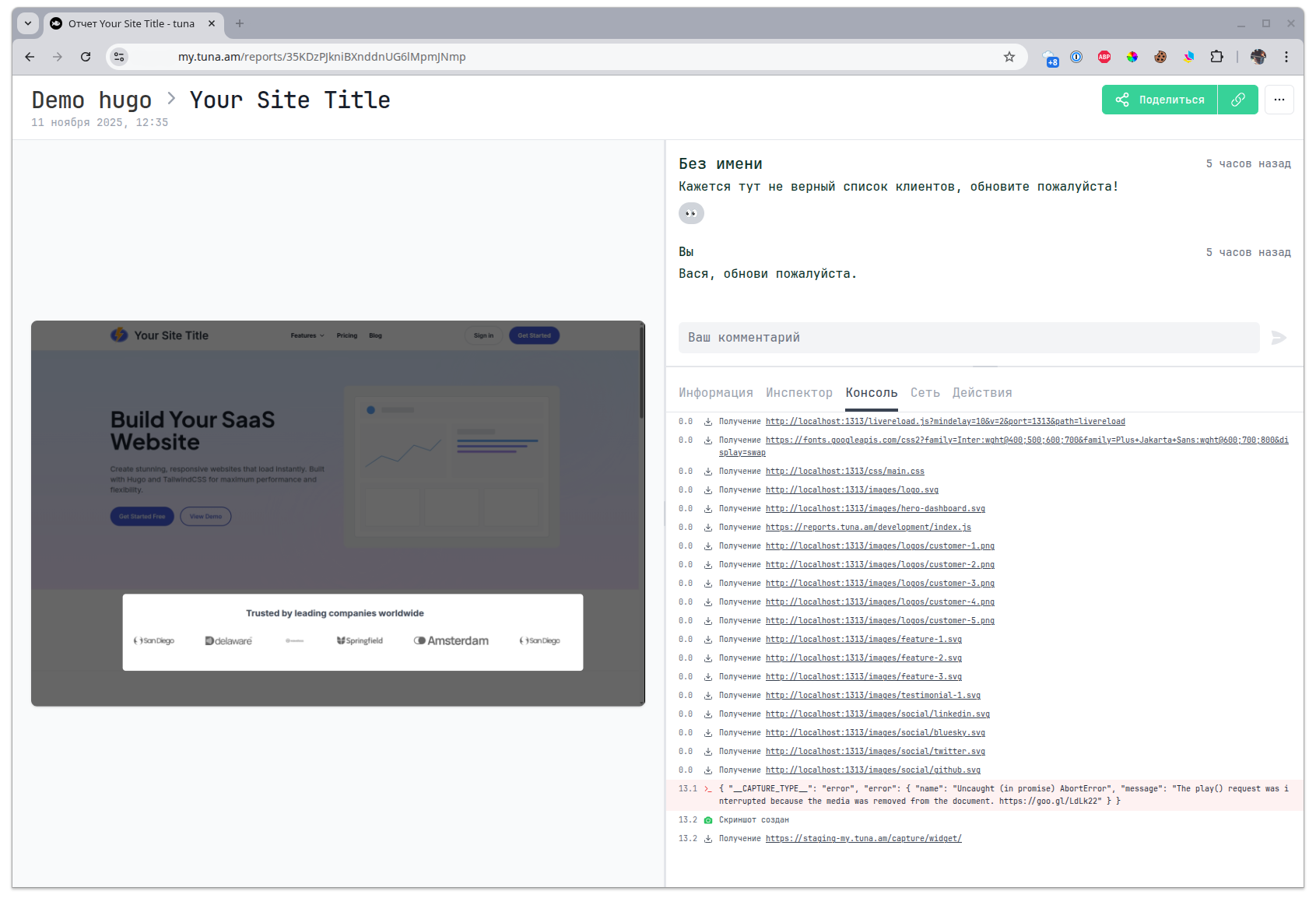
Список всех событий из консоли браузера.
Список всех XHR запросов с возможностью заглянуть в детали.
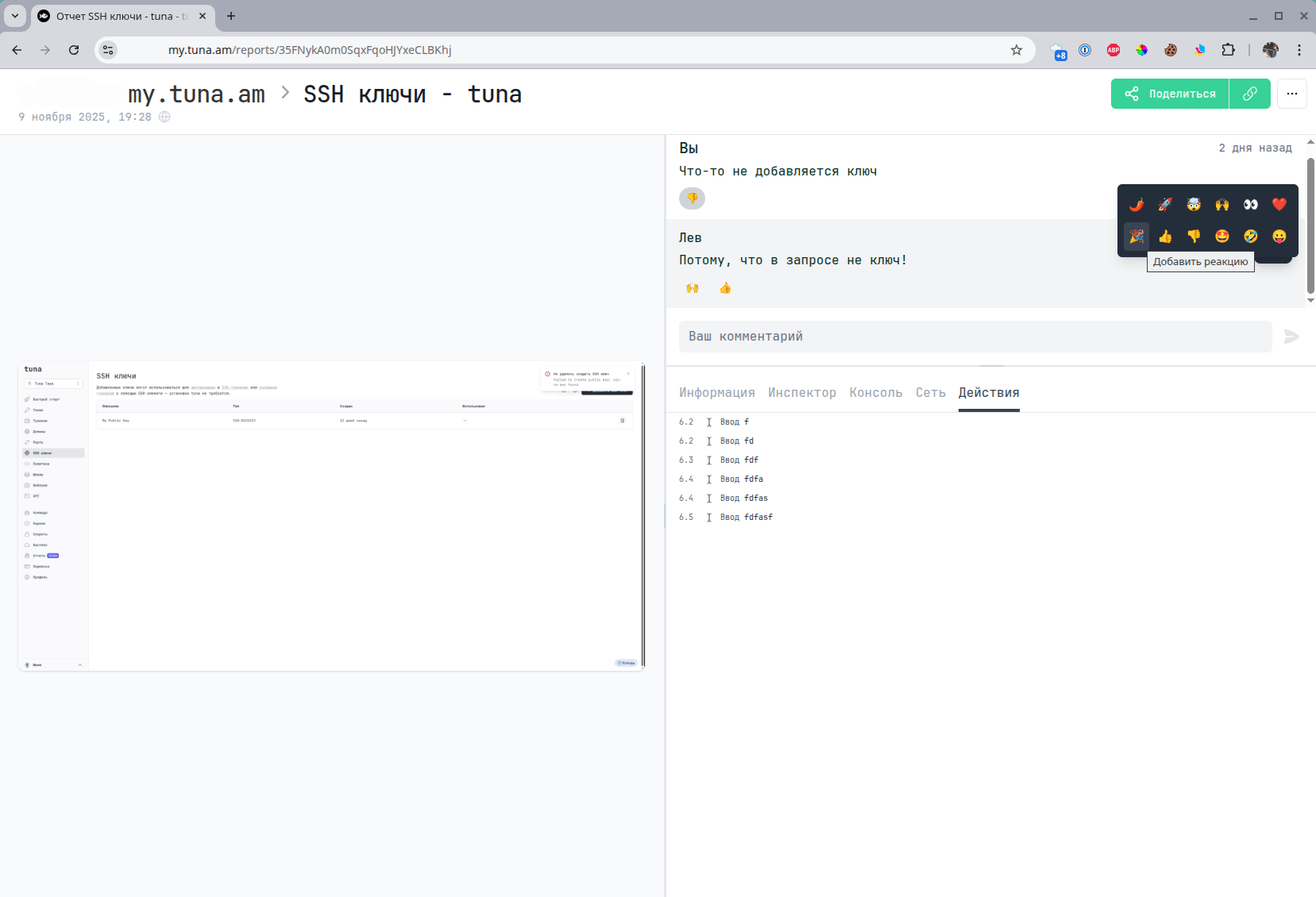
Действия пользователя на странице.

Также можно оставлять комментарии и реакции к комментариям.
Video overview
- YouTube
- VK Video
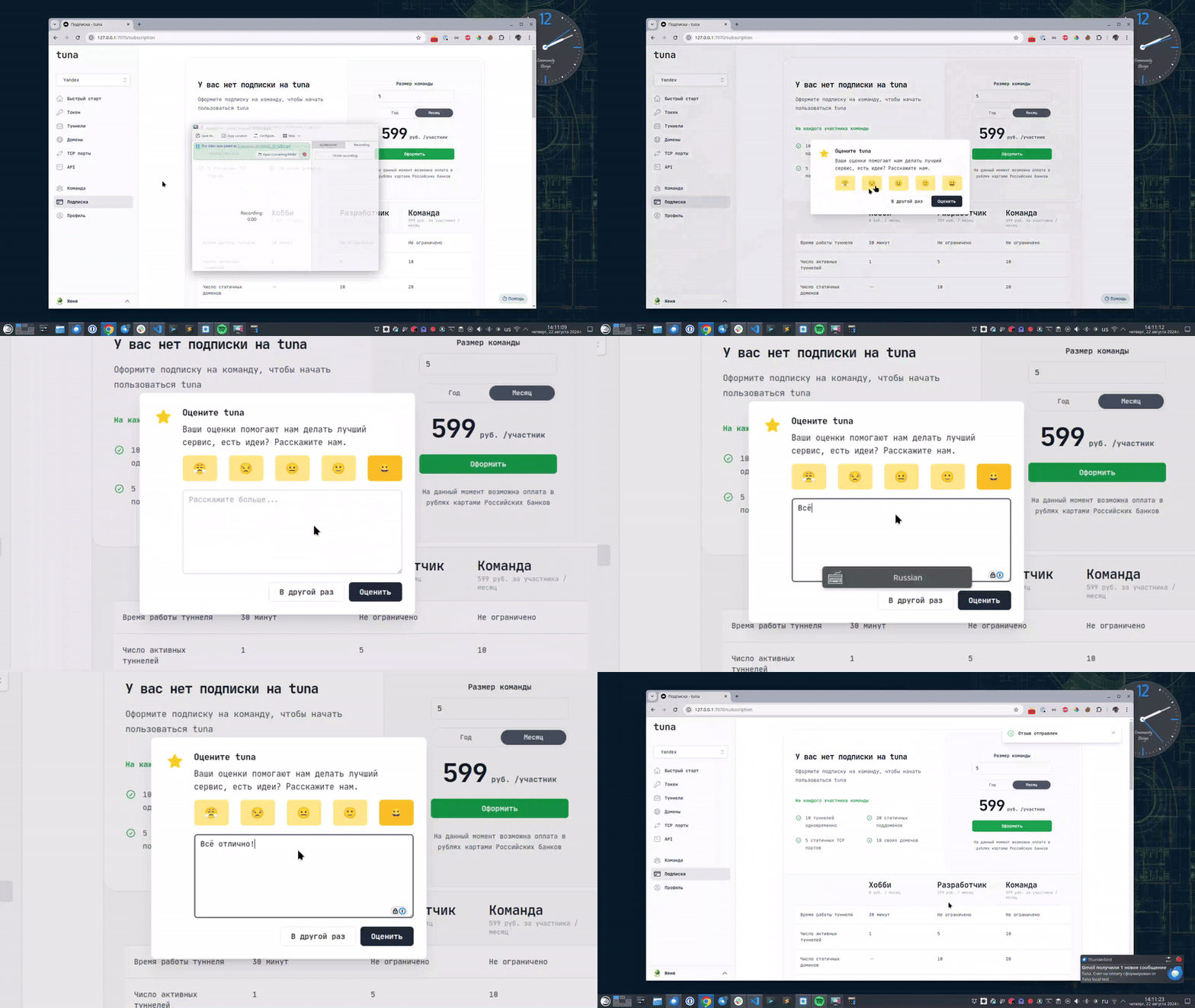
Оставьте отзыв
Если вам нравится пользоваться Tuna, или наоборот вы недовольны чем либо, то пожалуйста оставьте отзыв.
Помощь
Мы ценим наших пользователей и детально изучаем все обращения, если у вас возникли проблемы с tuna – обязательно свяжитесь с нами одним из способов: