Domain zones
In this section you can add your own domain zones (wildcard).
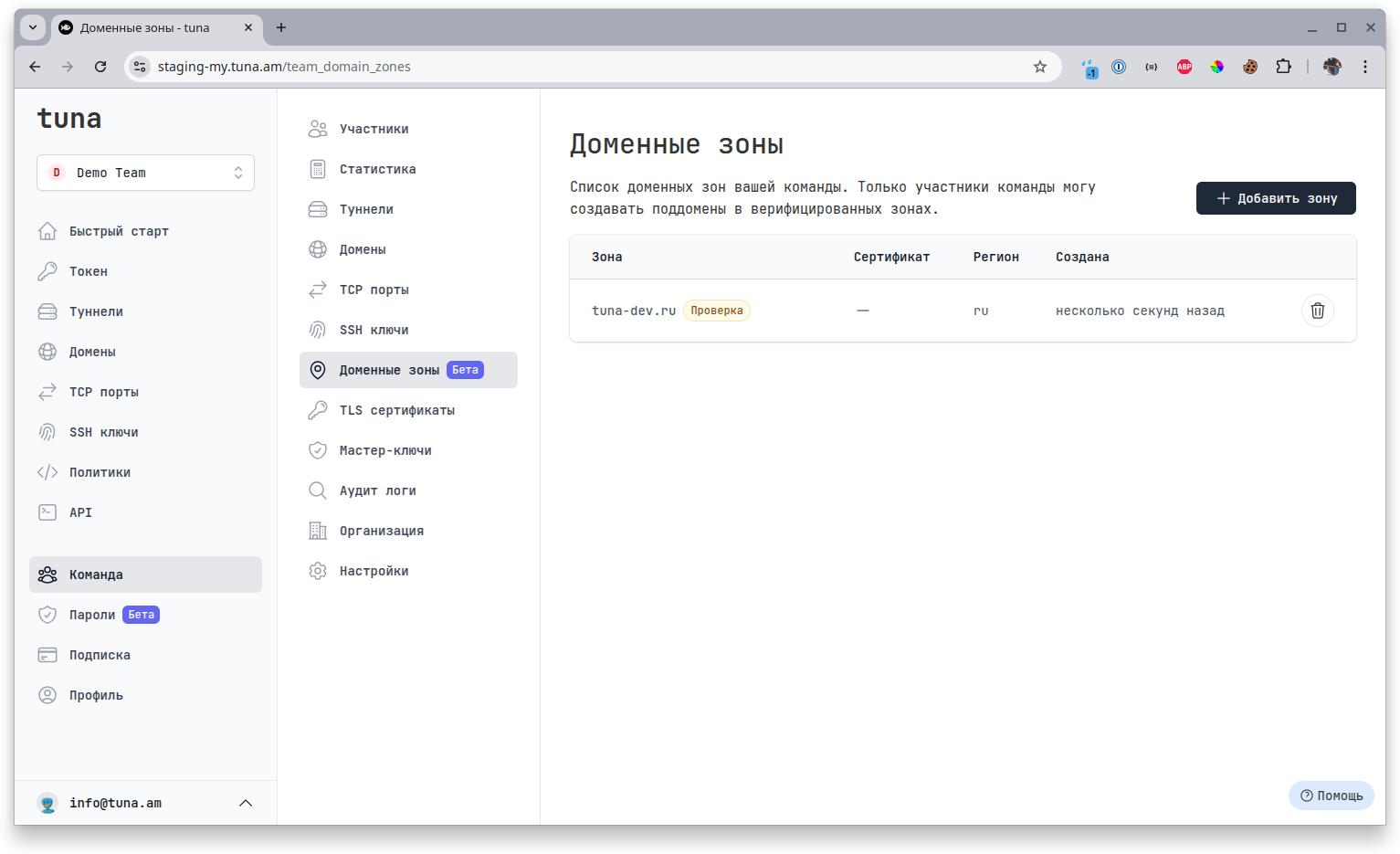
This section is available to the Founder, Owners and Administrators.
Overview
Domain zone ownership is unique within the Tuna platform.
If you have verified ownership of a zone, for example, tuna-dev.ru, then from that moment only members of your team can reserve domains matching the pattern *.tuna-dev.ru. You can reserve second-level and higher zones, for example, you can add separately foo.tuna-dev.ru and bar.tuna-dev.ru.
Connecting a zone is primarily needed for your security, you could have previously specified *.your-domain.ru in DNS settings pointing to the required node, but then any platform user could connect Their own domain in this zone and thereby compromise you.
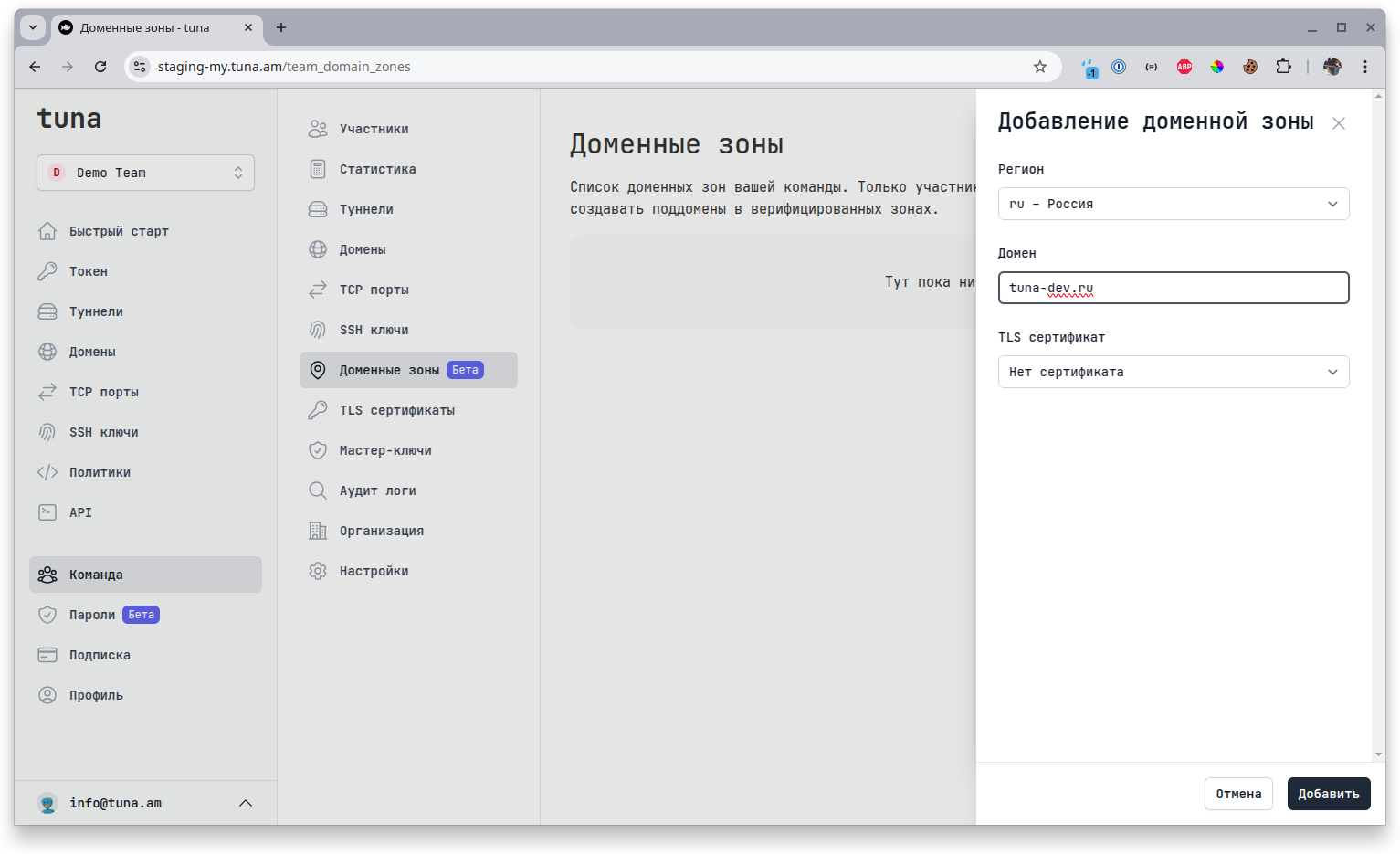
When adding a zone, you will need to specify the region to which your zone will be linked, the zone itself and optionally a TLS certificate. Then you will need to pass verification so we can ensure that you actually own the domain.
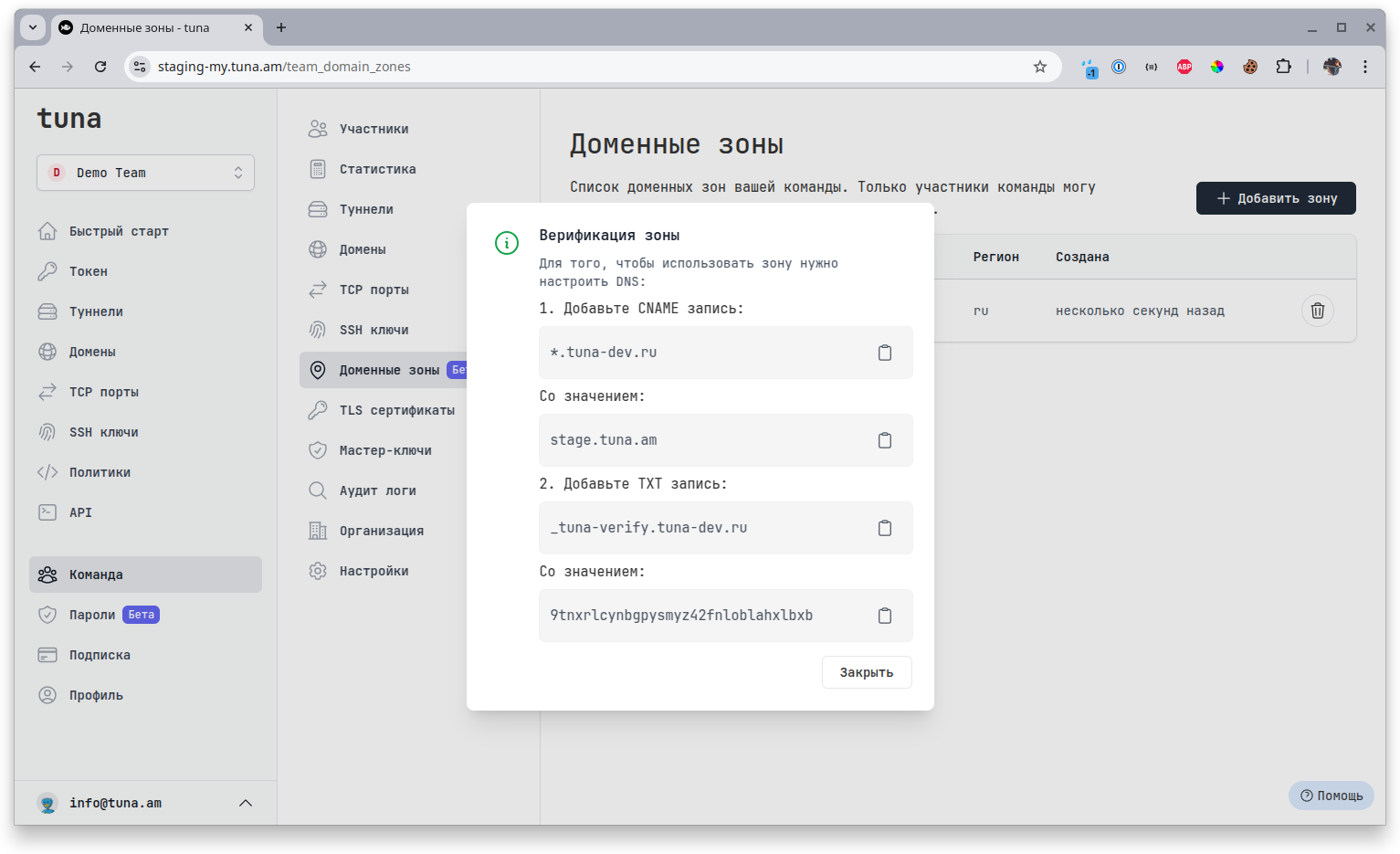
Usage
Subdomains in the zone
After successfully passing ownership verification, users will be able to start using it. On the domain management page, the user will see all available zones in the team linked to this region.
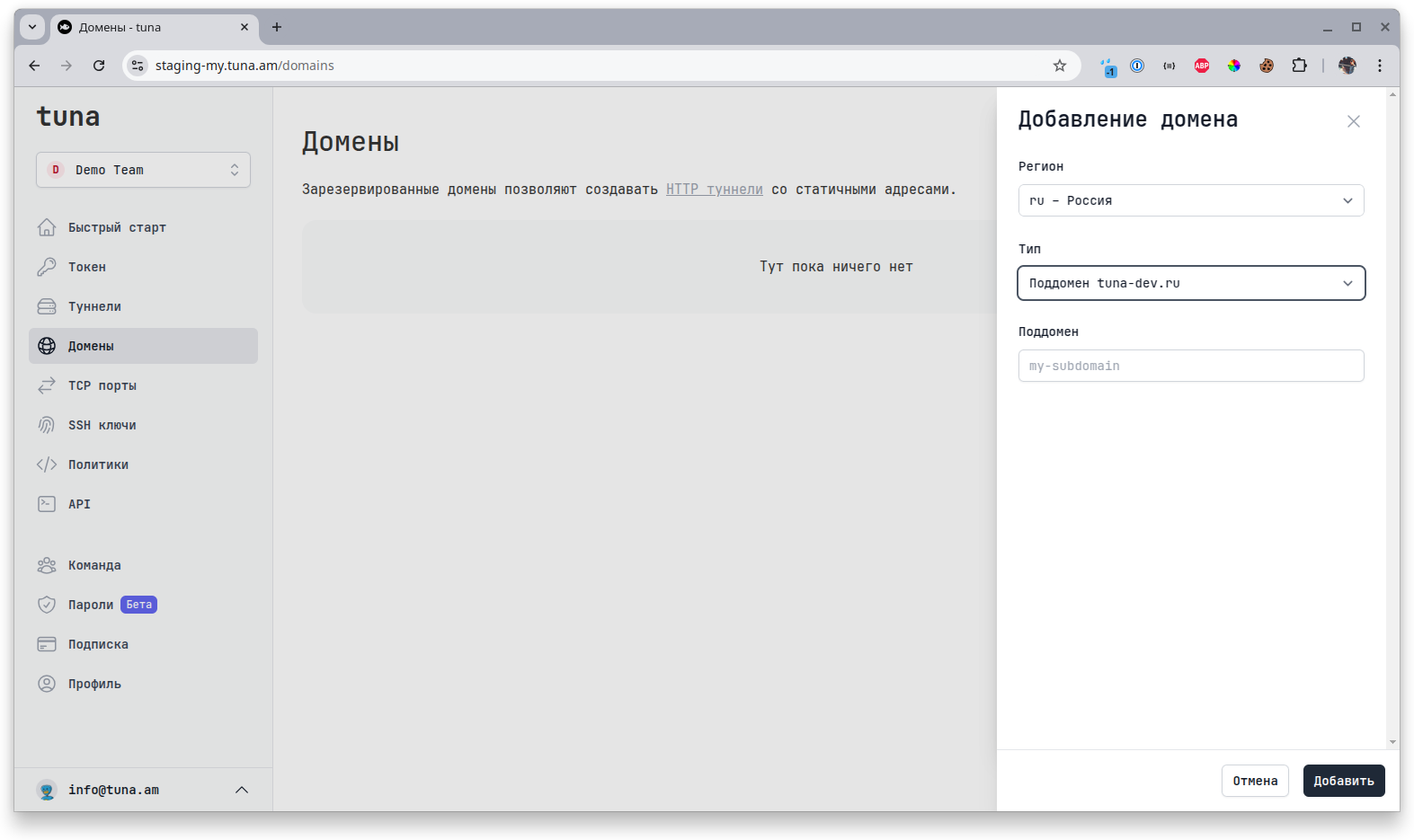
This greatly simplifies configuration, as the user only needs to specify the required subdomain. If you have not specified your own TLS certificate for the zone, a unique Let's encrypt certificate will be issued for this domain.
Custom wildcard TLS certificate
If you have added and specified your own TLS certificate, then your certificate will be used for all subdomains in this zone and Let's encrypt will not be issued. This significantly speeds up the addition of new subdomains. It also gives you the ability to use any purchased certificates, self-signed or for example from Ministry of Digital Development.
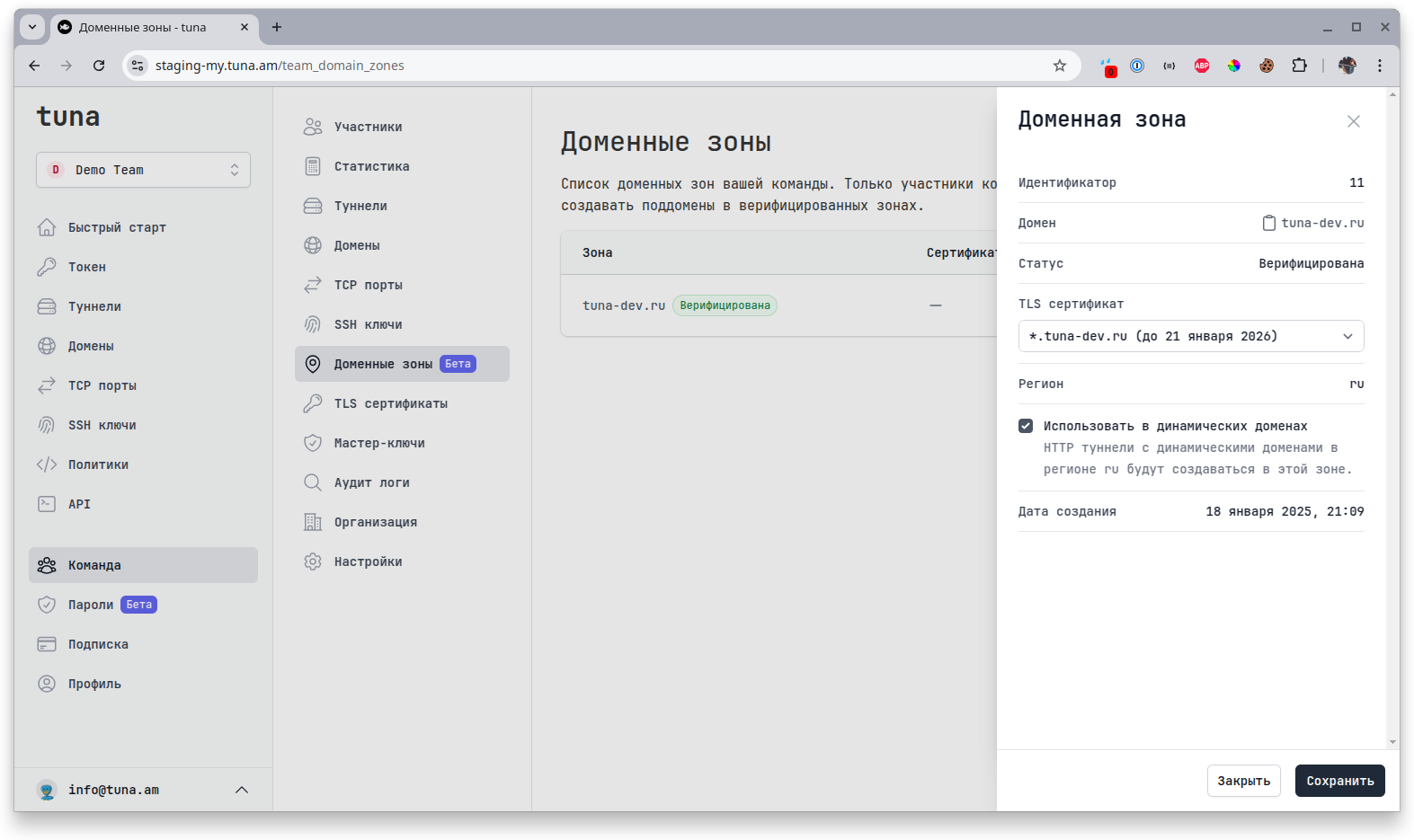
There is also the ability to use your zone as the default zone in this region. This means that all dynamically created HTTP tunnels will have a domain in your zone. For example, when running tuna http -f . you will immediately get the address 4l7mqf-212-49-103-2.your-domain.ru instead of the standard 4l7mqf-212-49-103-2.ru.tuna.am, i.e. you don't need to specify the --domain flag and use some static domain, you get a branded (white label) domain out of the box!
You can hide user IP addresses in dynamic domains, more details in the domains section.