Password Manager - why we built it and how it works
When you trust your passwords to an external service, the main question is whether you can trust it. That's why we decided to openly explain how Tuna's Password Manager works under the hood: which keys encrypt data and in what order, what's stored on our server versus only on your device, and what would happen if our database leaked. The goal is simple — so that using the manager feels safe, because you understand how it works.
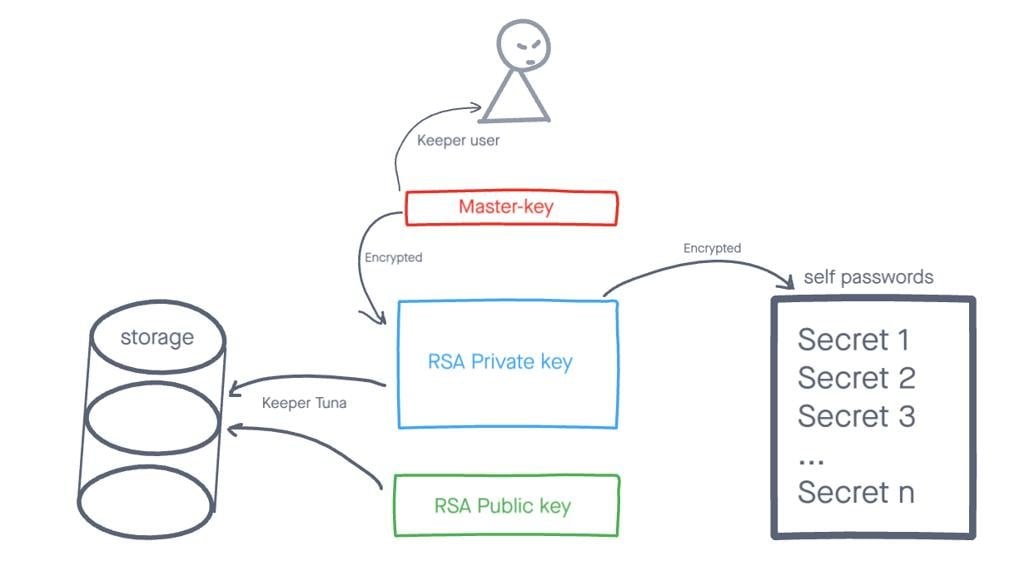
All encryption keys are generated on your device and never leave the client in plaintext. Only encrypted text is sent to the server, and the Master Key exists only on your side. This is a zero-knowledge model: even if our infrastructure is compromised and the entire database leaks — decrypting your passwords without the Master Key is impossible.
Why did we build a password manager?
We've done a lot of freelance work across different companies, so we've seen firsthand how people share corporate passwords for services, infrastructure and everything else. If a company doesn't have a paid 1Password or something similar, it's quite a mess.
- No centralized vault — usually it's just one person who knows everything, and if they leave, it's game over...
- Passwords are shared in Telegram or Slack chats
- When someone leaves the company, if there's a shared account for an external service, the new password has to be sent out to everyone.
There are more issues, but these are the main ones.
So we looked at all this and thought: 99% of our users are developers, and they probably have the same problem. There's a need to store infrastructure passwords, SSH keys, office Wi-Fi credentials and so on. But there aren't always accessible tools for securely and conveniently sharing them with a team, clients, auditors, or just friends.
So we decided we should build it — and we did.
How much does it cost?
We decided this would be a free core feature of our platform.
Security is a basic need (even according to Maslow's hierarchy), and we want even the smallest five-person startups to be able to securely store and share passwords within the company or with friends.
We may later introduce some reasonable limits or new features available only with a subscription, but for now everything is free for everyone. You can sign up, create a team, invite users, and set up shared password folders without a subscription.
Architecture
Alright, nothing too complicated: we generate a key on the client, show it to the user, don't store it anywhere, the user encrypts passwords with this key on the client, sends them encrypted to the server, and we store them. When the user wants to read a password, we hand it back, the user decrypts it with their key that only they have — done.
Sounds simple, but complexity starts when we need not only to store one user's passwords, but also have shared folders within teams and share passwords externally via a one-time link. That's where we start mixing symmetric and asymmetric keys, encrypting one with another, and things stop being so simple.
Shared team folders
In this section we'll actually cover almost the entire design, since we'll be unwinding the thread from end to beginning.
Let's start with the task — having shared password folders within a team. There are two approaches:
- Passwords should be encrypted with a single key that everyone has.
- When adding a new user, we duplicate all passwords and encrypt them with their public key.
The second approach doesn't work for us, because user 1 needs to be able to edit a password, and user 2 should see the change immediately, and vice versa. So — passwords must be encrypted with a single key that everyone has. How do you pull that off? Like this:
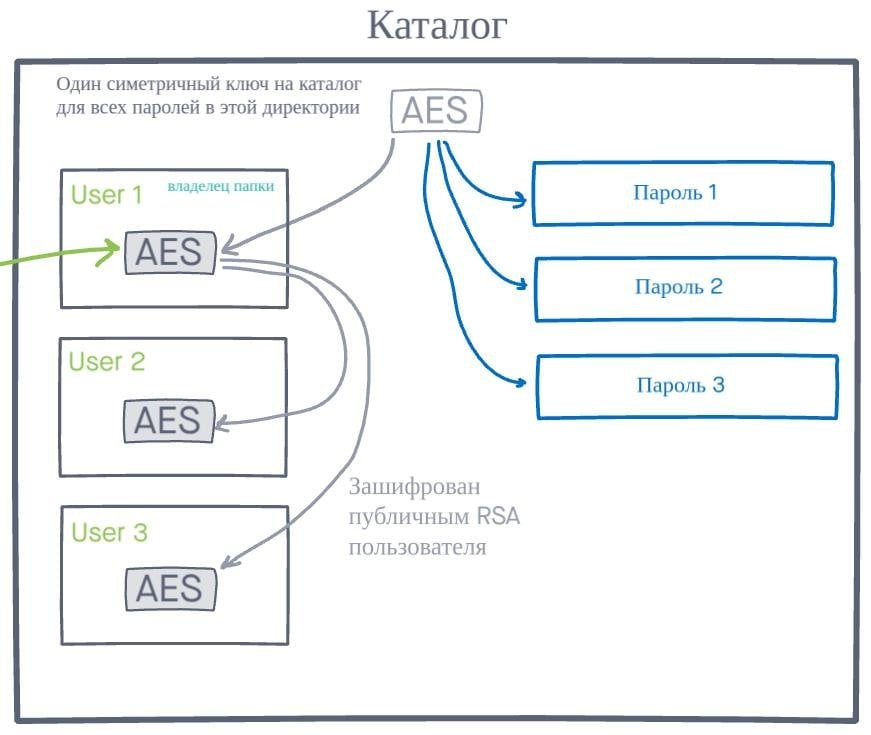
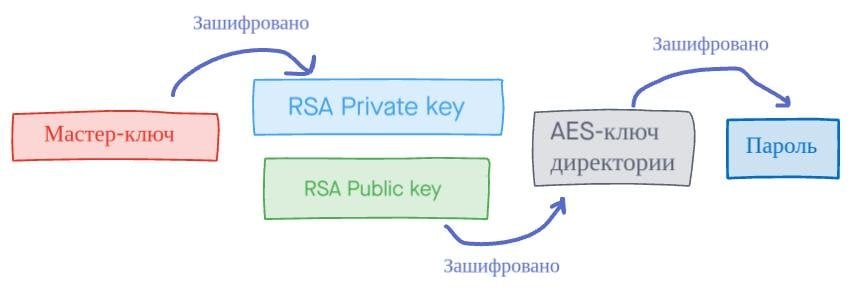
So passwords are encrypted with a symmetric AES key — let's call it the folder AES key. But we don't store it in plaintext, right? Correct — this folder AES key is actually encrypted with the user's RSA key.
Unwinding the thread...
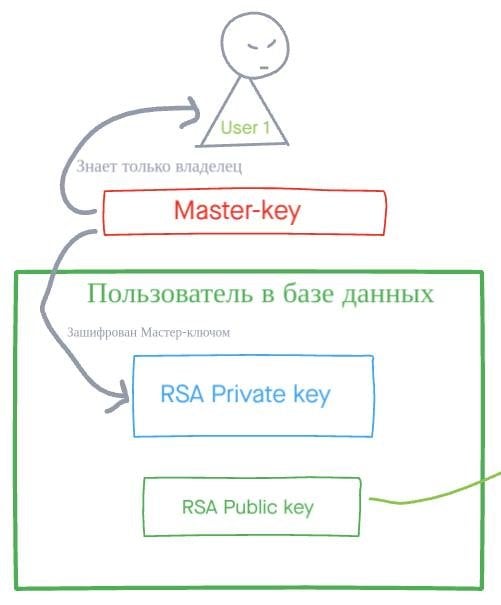
When you initialize the password manager, an asymmetric RSA key pair is generated for your user; the private part is encrypted with the Master Key, and the public part is stored in plaintext.
In summary, the user stores:
- their Master Key
In summary, we store:
- the public RSA key
- the encrypted private RSA key
- the encrypted folder AES key
- the encrypted passwords
Let's try to see the full picture and put the entire algorithm together:
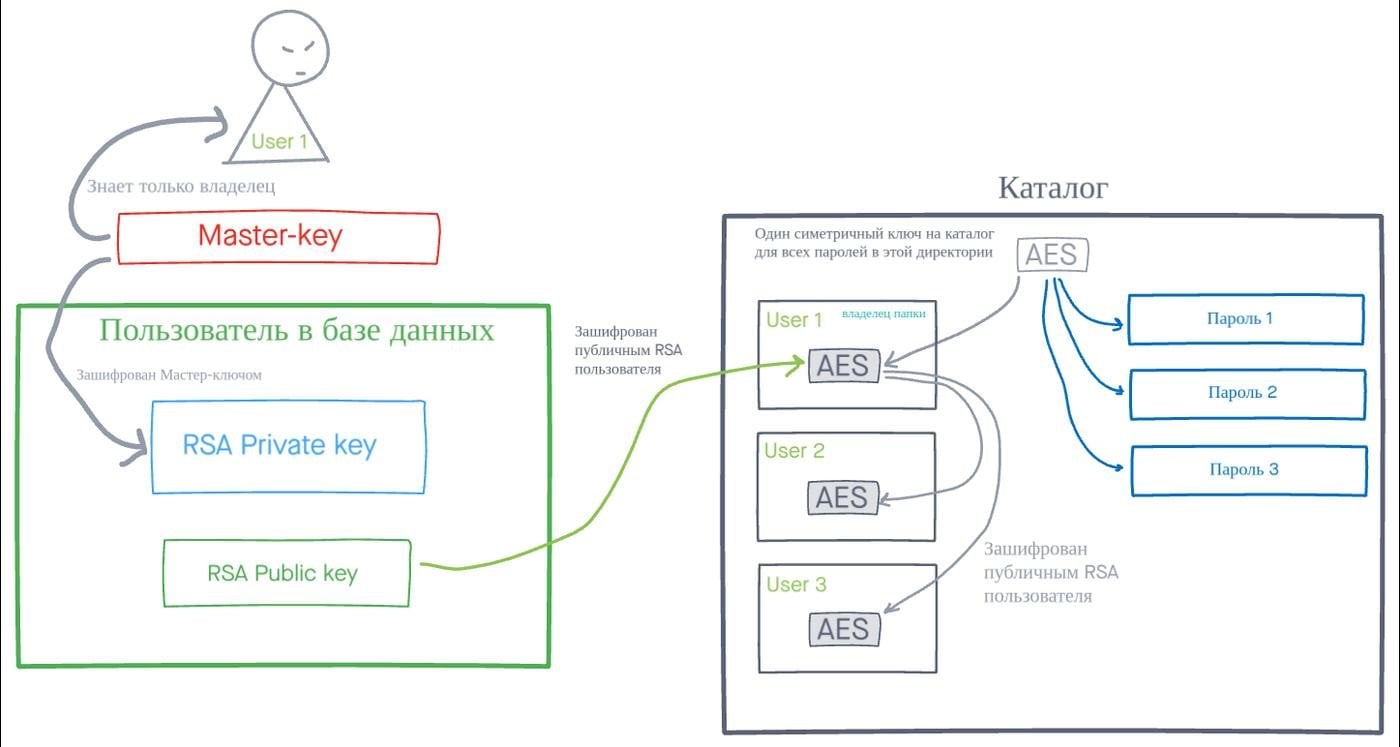
In short, the core concept is that on the server side, if anything is stored, it's exclusively encrypted, and on the client side everything can only exist in plaintext during runtime and is never permanently stored anywhere either.
To understand this better, let's walk through the steps:
- The user initializes the password manager
- On the client (browser) a pair of RSA keys — private and public — is generated
- On the client, a Master Key is generated; the user must save it
- On the client, the private RSA key is encrypted with the Master Key
- The encrypted private RSA key and the public RSA key are sent to the server
- The user creates a new folder
- On the client, a folder AES key is generated
- On the client, the folder AES key is encrypted with the public RSA key
- On the client, passwords are encrypted with the folder AES key
When we need to make passwords shared, we find a user in the team, take their public RSA key, take the folder AES key, decrypt it with our private RSA key, encrypt it with the new user's public RSA key, and send it to the server. On the server, the folder now has a new user with a folder AES key, and the new user can decrypt it with their private RSA key, and then decrypt the passwords encrypted with the folder AES key.
The result looks roughly like this chain:
Phew...
Sharing passwords externally
If we've figured out sharing within a team, how do we share passwords externally, since unregistered users don't have RSA keys and know nothing at all?
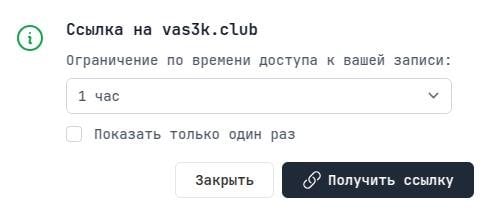
Here we come to the need to make a copy of the password. We generate an AES key again, but this time it's for just one password. We assign a UID to the encrypted password and send it to the server.
What the client knows:
- the password UID
- the AES key it was encrypted with
What the server knows:
- the password UID
- the encrypted password
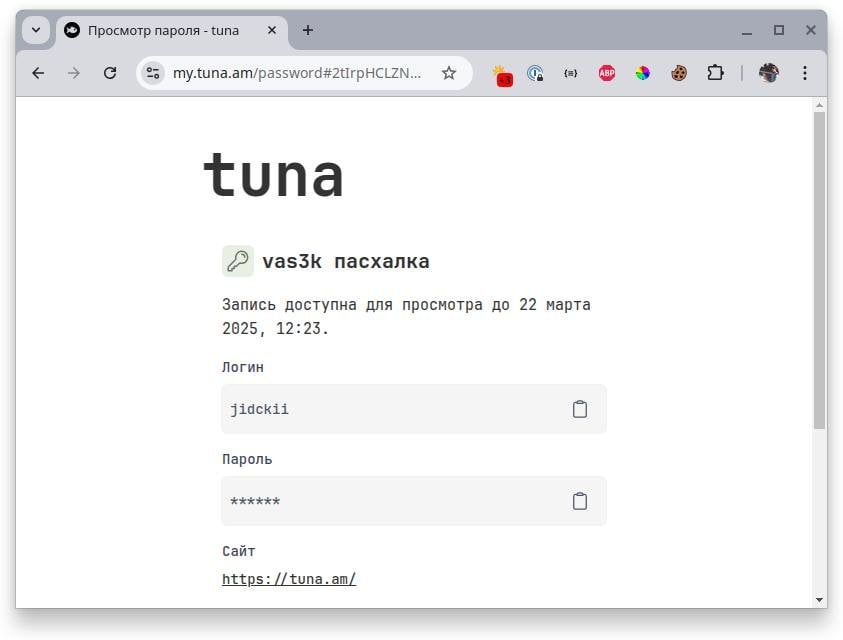
Then the client generates a link where part of the URI is the password UID and the other part is the AES key:
https://my.tuna.am/password#{UID}#{AES-key}
So in our database we don't store the AES key and can't decrypt the password, but the user who follows the link can easily decrypt it and view it.
Yes, technically we could decrypt the password at the moment of the first request, since we'd see the full link in the request, but of course we won't do that. There are ideas on how to improve this, but for now they're still under discussion. Nevertheless, everything in the database is encrypted.
I think we can wrap up the architecture section and move on.
What are the plans?
We've already received feedback from the CTO of one of our clients, asking us to add TOTP (Time-based One-Time Password) support — we'll probably add it in the next release. This is relevant when a company has a service with a shared account where sign-in requires TOTP verification.
We're thinking about how to make the external password sharing feature more secure while keeping it just as convenient.
We also plan to add password management to the tuna CLI so you can retrieve passwords from the terminal.
Overall the product is still in beta, and we're actively collecting feedback.
Let's wrap up here — happy to answer questions in the comments 🤗.
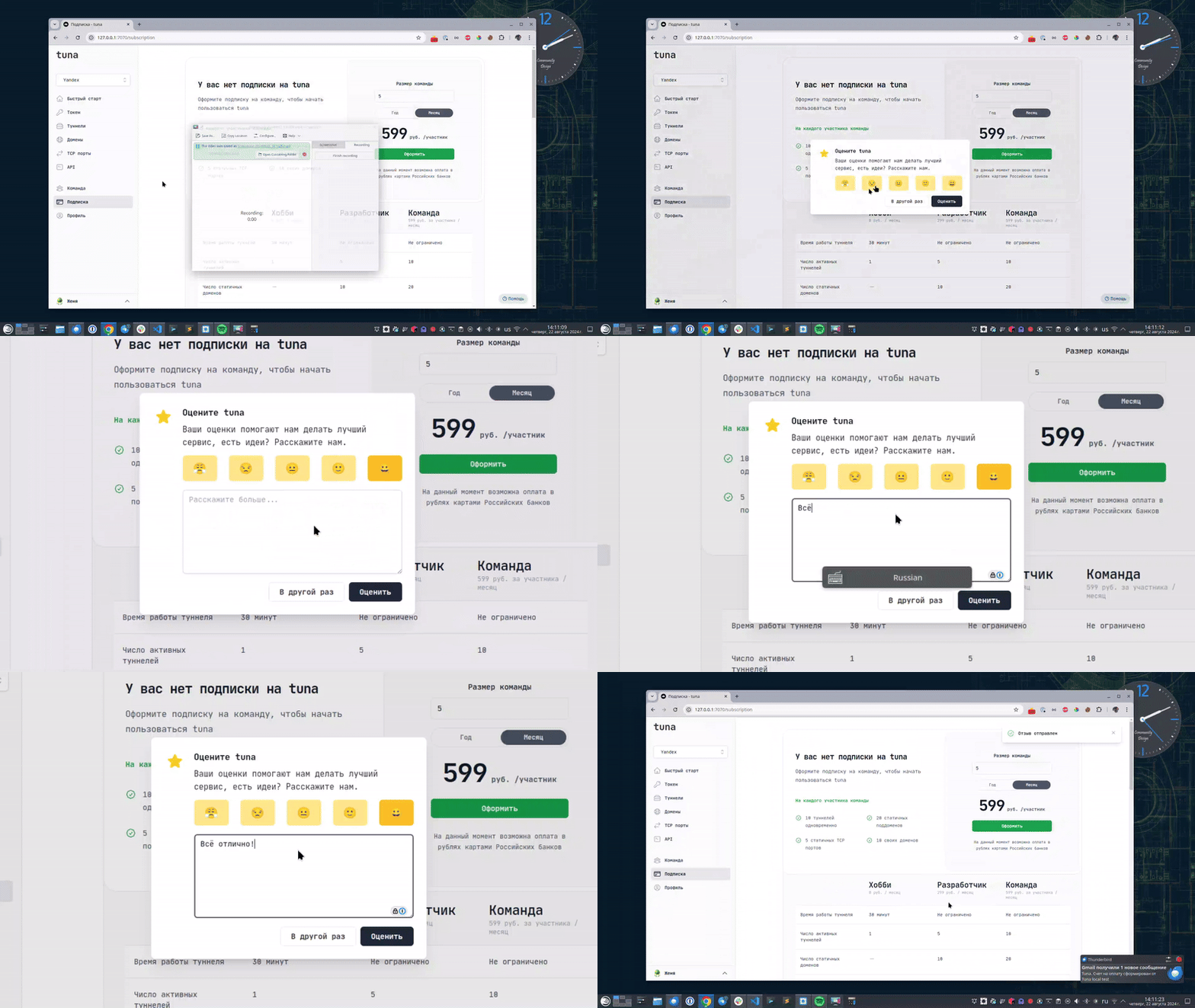
Leave feedback
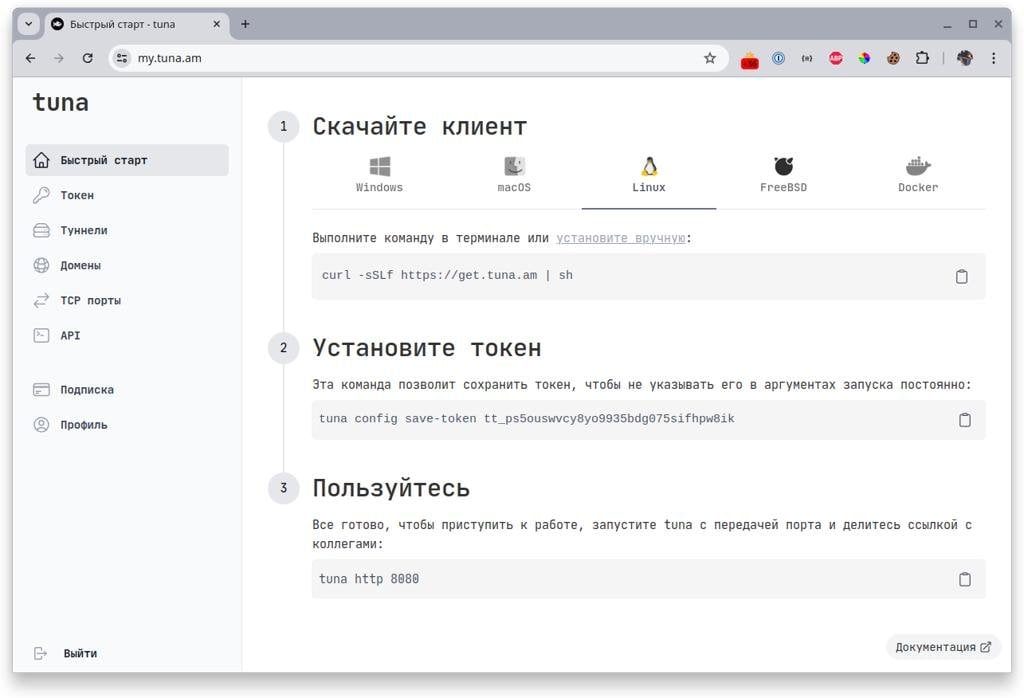
If you enjoy using Tuna, or on the contrary you are not happy with something, please leave feedback.
News
We announce new features and posts on our Telegram channel. Subscribe so you don't miss anything.
Help
We value our users and carefully review every request. If you have any problems with tuna, please contact us in one of the following ways: